

Legacy storage clients
Deprecated provider-specific clients for downloading open data products.
Tilebox does not host the actual open data satellite products but instead relies on publicly accessible storage providers for data access. Tilebox ingests available metadata as datasets to enable high performance querying and structured access of the data as xarray.Dataset.
Tilebox also supports a local file system storage client. This is useful when your data is already available on a local disk, a mounted network share, or a synced folder such as Dropbox or Google Drive.
Below is a list of the storage providers currently supported by Tilebox.
Local File System (including Dropbox-synced folders)
Use LocalFileSystemStorageClient when your dataset datapoints already reference files on a local or mounted path.
This client does not download remote data. Instead, it resolves and validates local paths using each datapoint’s location field.
from pathlib import Path

from tilebox.datasets import Client
from tilebox.storage import LocalFileSystemStorageClient

# Creating clients
client = Client()
storage_client = LocalFileSystemStorageClient(root=Path("/Volumes/data"))

# Querying a dataset that stores file locations
dataset = client.dataset("my_org.local.imagery")
collection = dataset.collection("ORTHO")
data = collection.query(temporal_extent=("2025-01-01", "2025-01-02"), show_progress=True)

# Selecting a single datapoint
selected = data.isel(time=0)

# Returns the local path where data already exists
local_path = storage_client.download(selected)
print(local_path)

# List files relative to the datapoint location
objects = storage_client.list_objects(selected)
print(objects)
Datapoint fields used by this client
location(required): Path to the product directory or file, relative to the configuredroot.thumbnail,overview, orquicklook(optional): Relative path used bydownload_quicklookandquicklook.
If quicklook metadata is present, you can access it the same way as with other storage clients:
quicklook_path = storage_client.download_quicklook(selected)
storage_client.quicklook(selected)
Copernicus Data Space
The Copernicus Data Space is an open ecosystem that provides free instant access to data and services from the Copernicus Sentinel missions. Check out the ASF Open Data datasets that are available in Tilebox.
Access Copernicus data
To download data products from the Copernicus Data Space after querying them via the Tilebox API, you need to create an account and then generate S3 credentials here.
The following code snippet demonstrates how to query and download Copernicus data using the Tilebox Python SDK.
from pathlib import Path

from tilebox.datasets import Client
from tilebox.storage import CopernicusStorageClient

# Creating clients
client = Client()
storage_client = CopernicusStorageClient(
    access_key="YOUR_ACCESS_KEY",
    secret_access_key="YOUR_SECRET_ACCESS_KEY",
    cache_directory=Path("./data")
)

# Choosing the dataset and collection
s2_dataset = client.dataset("open_data.copernicus.sentinel2_msi")
collection = s2_dataset.collection("S2A_S2MSI2A")

# Loading metadata
s2_data = collection.query(temporal_extent=("2024-08-01", "2024-08-02"), show_progress=True)

# Selecting a data point to download
selected = s2_data.isel(time=0)  # index 0 selected

# Downloading the data
downloaded_data = storage_client.download(selected)

print(f"Downloaded granule: {downloaded_data.name} to {downloaded_data}")
print("Contents: ")
for content in downloaded_data.iterdir():
print(f" - {content.relative_to(downloaded_data)}")Downloaded granule: S2A_MSIL2A_20240801T002611_N0511_R102_T58WET_20240819T170544.SAFE to data/Sentinel-2/MSI/L2A/2024/08/01/S2A_MSIL2A_20240801T002611_N0511_R102_T58WET_20240819T170544.SAFE
Contents:
- manifest.safe
- GRANULE
- INSPIRE.xml
- MTD_MSIL2A.xml
- DATASTRIP
- HTML
- rep_info
- S2A_MSIL2A_20240801T002611_N0511_R102_T58WET_20240819T170544-ql.jpgPartial product downloads
For cases where only a subset of the available file objects for a product is needed, you may restrict your download to just that subset. First, list available objects using list_objects, filter them, and then download using download_objects.
For example, a Sentinel-2 L2A product includes many files such as metadata, different bands in multiple resolutions, masks, and quicklook images. The following example shows how to download only specific files from a Sentinel-2 L2A product.
s2_dataset = client.dataset("open_data.copernicus.sentinel2_msi")
collection = s2_dataset.collection("S2A_S2MSI2A")
s2_data = collection.query(temporal_extent=("2024-08-01", "2024-08-02"), show_progress=True)
selected = s2_data.isel(time=0)  # download the first granule in the given time range

objects = storage_client.list_objects(selected)
print(f"Granule {selected.granule_name.item()} consists of {len(objects)} individual objects.")

# only select specific objects to download
want_products = ["B02_10m", "B03_10m", "B08_10m"]
objects = [obj for obj in objects if any(prod in obj for prod in want_products)]  # remove all other objects
print(f"Downloading {len(objects)} objects.")
for obj in objects:
    print(f" - {obj}")

# Finally, download the selected data
downloaded_data = storage_client.download_objects(selected, objects)Granule S2A_MSIL2A_20240801T002611_N0511_R102_T58WET_20240819T170544.SAFE consists of 95 individual objects.
Downloading 3 objects.
- GRANULE/L2A_T58WET_A047575_20240801T002608/IMG_DATA/R10m/T58WET_20240801T002611_B02_10m.jp2
- GRANULE/L2A_T58WET_A047575_20240801T002608/IMG_DATA/R10m/T58WET_20240801T002611_B03_10m.jp2
- GRANULE/L2A_T58WET_A047575_20240801T002608/IMG_DATA/R10m/T58WET_20240801T002611_B08_10m.jp2Quicklook images
Many Copernicus products include a quicklook image. The Tilebox storage client includes support for displaying these quicklook images directly when running in an interactive environment such as a Jupyter notebook.
s2_dataset = client.dataset("open_data.copernicus.sentinel2_msi")
collection = s2_dataset.collection("S2A_S2MSI2A")
s2_data = collection.query(temporal_extent=("2024-08-01", "2024-08-02"), show_progress=True)
selected = s2_data.isel(time=0)  # download the first granule in the given time range

storage_client.quicklook(selected)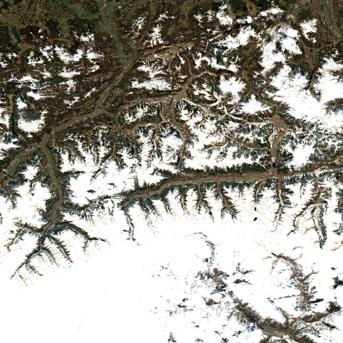
USGS Landsat
The United States Geological Survey (USGS) provides a wide range of Earth observation data, including Landsat data, which are also available as open data through Tilebox.
Accessing Landsat data
Landsat data is available in a S3 bucket. The following code snippet demonstrates how to query and download Landsat data using the Tilebox Python SDK.
from pathlib import Path

from tilebox.datasets import Client
from tilebox.storage import USGSLandsatStorageClient

# Creating clients
client = Client()
storage_client = USGSLandsatStorageClient()

# Choosing the dataset and collection
l9_dataset = client.dataset("open_data.usgs.landsat9_oli_tirs")
collection = l9_dataset.collection("L2_SR")

# Loading metadata
l9_data = collection.query(temporal_extent=("2024-08-01", "2024-08-02"), show_progress=True)

# Selecting a data point to download
selected = l9_data.isel(time=0)  # index 0 selected

# Downloading the data
downloaded_data = storage_client.download(selected)

print(f"Downloaded granule: {downloaded_data.name} to {downloaded_data}")
print("Contents: ")
for content in downloaded_data.iterdir():
print(f" - {content.relative_to(downloaded_data)}")Downloaded granule: LC09_L2SP_088241_20240801_20240802_02_T1 to /Users/lukasbindreiter/.cache/tilebox/collection02/level-2/standard/oli-tirs/2024/088/241/LC09_L2SP_088241_20240801_20240802_02_T1
Contents:
- LC09_L2SP_088241_20240801_20240802_02_T1_ST_EMSD.TIF
- LC09_L2SP_088241_20240801_20240802_02_T1_SR_QA_AEROSOL.TIF
- LC09_L2SP_088241_20240801_20240802_02_T1_SR_B7.TIF
- LC09_L2SP_088241_20240801_20240802_02_T1_ST_QA.TIF
- LC09_L2SP_088241_20240801_20240802_02_T1_SR_B6.TIF
- LC09_L2SP_088241_20240801_20240802_02_T1_SR_B4.TIF
- LC09_L2SP_088241_20240801_20240802_02_T1_SR_B5.TIF
- LC09_L2SP_088241_20240801_20240802_02_T1_SR_B1.TIF
- LC09_L2SP_088241_20240801_20240802_02_T1_SR_B2.TIF
- LC09_L2SP_088241_20240801_20240802_02_T1_SR_B3.TIF
- LC09_L2SP_088241_20240801_20240802_02_T1_ST_URAD.TIF
- LC09_L2SP_088241_20240801_20240802_02_T1_ANG.txt
- LC09_L2SP_088241_20240801_20240802_02_T1_ST_CDIST.TIF
- LC09_L2SP_088241_20240801_20240802_02_T1_thumb_large.jpeg
- LC09_L2SP_088241_20240801_20240802_02_T1_thumb_small.jpeg
- LC09_L2SP_088241_20240801_20240802_02_T1_ST_B10.TIF
- LC09_L2SP_088241_20240801_20240802_02_T1_MTL.txt
- LC09_L2SP_088241_20240801_20240802_02_T1_ST_TRAD.TIF
- LC09_L2SP_088241_20240801_20240802_02_T1_MTL.json
- LC09_L2SP_088241_20240801_20240802_02_T1_ST_DRAD.TIF
- LC09_L2SP_088241_20240801_20240802_02_T1_ST_ATRAN.TIF
- LC09_L2SP_088241_20240801_20240802_02_T1_QA_RADSAT.TIF
- LC09_L2SP_088241_20240801_20240802_02_T1_SR_stac.json
- LC09_L2SP_088241_20240801_20240802_02_T1_MTL.xml
- LC09_L2SP_088241_20240801_20240802_02_T1_QA_PIXEL.TIF
- LC09_L2SP_088241_20240801_20240802_02_T1_ST_EMIS.TIF
- LC09_L2SP_088241_20240801_20240802_02_T1_ST_stac.jsonPartial product downloads
For cases where only a subset of the available file objects for a product is needed, you may restrict your download to just that subset. First, list available objects using list_objects, filter them, and then download using download_objects.
For example, a Landsat 9 L2 SR product includes many files such as metadata, different bands in multiple resolutions, masks, and quicklook images. The following example shows how to download only specific files from a Landsat 9 L2 SR product.
l9_dataset = client.dataset("open_data.usgs.landsat9_oli_tirs")
collection = l9_dataset.collection("L2_SR")
l9_data = collection.query(temporal_extent=("2024-08-01", "2024-08-02"), show_progress=True)
selected = l9_data.isel(time=0)

objects = storage_client.list_objects(selected)
print(f"Granule {selected.granule_name.item()} consists of {len(objects)} individual objects.")

rgb_bands = ["B4", "B3", "B2"]

objects = [obj for obj in objects if any(obj.endswith(band + ".TIF") for band in rgb_bands)]
print(f"Downloading {len(objects)} objects.")
for obj in objects:
    print(f" - {obj}")

# Finally, download the selected data
downloaded_data = storage_client.download_objects(selected, objects)Granule LC09_L2SP_088241_20240801_20240802_02_T1_SR consists of 27 individual objects.
Downloading 3 objects.
- LC09_L2SP_088241_20240801_20240802_02_T1_SR_B2.TIF
- LC09_L2SP_088241_20240801_20240802_02_T1_SR_B3.TIF
- LC09_L2SP_088241_20240801_20240802_02_T1_SR_B4.TIFQuicklook images
Many USGS products include a quicklook image. The Tilebox storage client includes support for displaying these quicklook images directly when running in an interactive environment such as a Jupyter notebook.
# Loading metadata
l9_dataset = client.dataset("open_data.usgs.landsat9_oli_tirs")
collection = l9_dataset.collection("L2_SR")
l9_data = collection.query(temporal_extent=("2024-08-01", "2024-08-02"), show_progress=True)

# Selecting a data point to download
selected = l9_data.isel(time=0)  # index 0 selected

# Displaying a quicklook image
storage_client.quicklook(selected)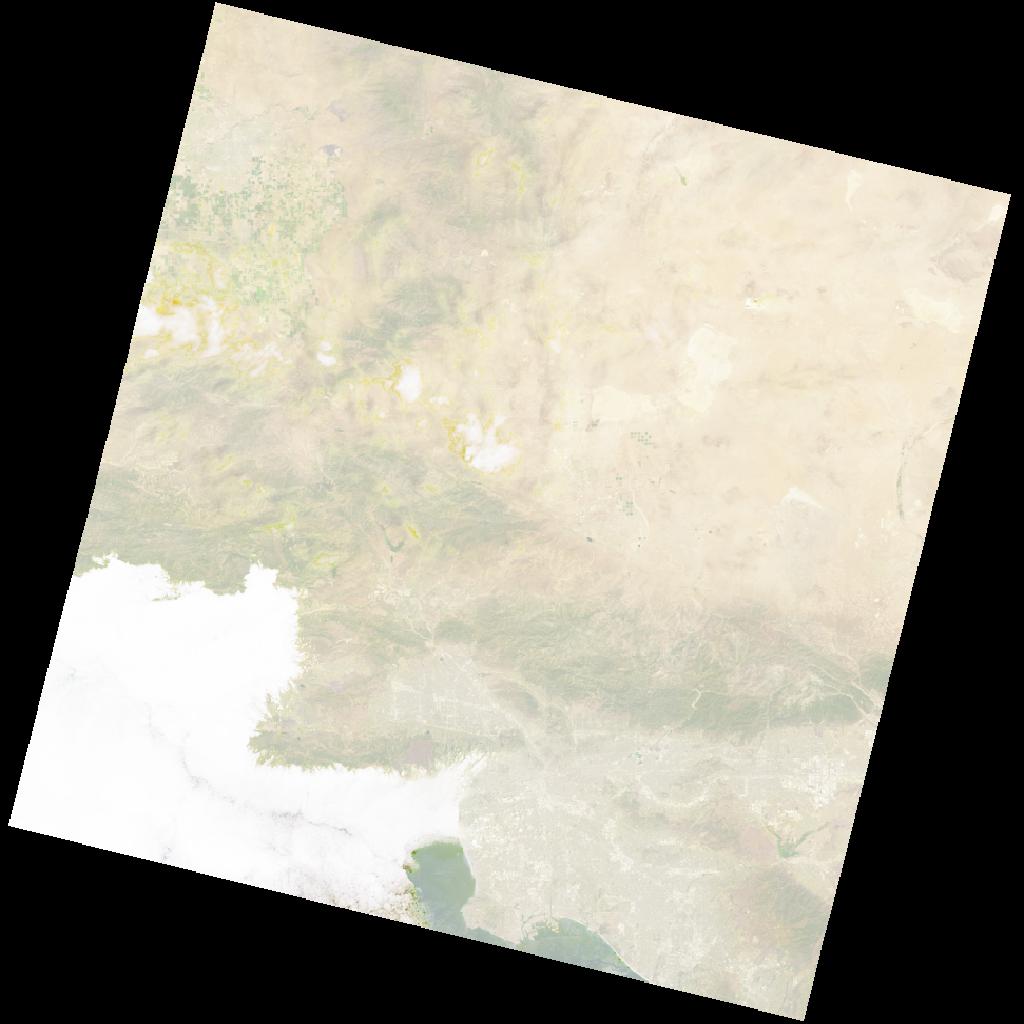
Alaska Satellite Facility (ASF)
The Alaska Satellite Facility (ASF) is a NASA-funded research center at the University of Alaska Fairbanks. Check out the ASF Open Data datasets that are available in Tilebox.
Accessing ASF Data
You can query ASF metadata without needing an account, as Tilebox has indexed and ingested the relevant metadata. To access and download the actual satellite products, you will need an ASF account.
You can create an ASF account in the ASF Vertex Search Tool.
The following code snippet demonstrates how to query and download ASF data using the Tilebox Python SDK.
from pathlib import Path

from tilebox.datasets import Client
from tilebox.storage import ASFStorageClient

# Creating clients
client = Client()
storage_client = ASFStorageClient(
    user="YOUR_ASF_USER",
    password="YOUR_ASF_PASSWORD",
    cache_directory=Path("./data")
)

# Choosing the dataset and collection
ers_dataset = client.dataset("open_data.asf.ers_sar")
collection = ers_dataset.collection("ERS-2")

# Loading metadata
ers_data = collection.query(temporal_extent=("2009-01-01", "2009-01-02"), show_progress=True)

# Selecting a data point to download
selected = ers_data.isel(time=0)  # index 0 selected

# Downloading the data
downloaded_data = storage_client.download(selected, extract=True)

print(f"Downloaded granule: {downloaded_data.name} to {downloaded_data}")
print("Contents: ")
for content in downloaded_data.iterdir():
print(f" - {content.relative_to(downloaded_data)}")Downloaded granule: E2_71629_STD_L0_F183 to data/ASF/E2_71629_STD_F183/E2_71629_STD_L0_F183
Contents:
- E2_71629_STD_L0_F183.000.vol
- E2_71629_STD_L0_F183.000.meta
- E2_71629_STD_L0_F183.000.raw
- E2_71629_STD_L0_F183.000.pi
- E2_71629_STD_L0_F183.000.nul
- E2_71629_STD_L0_F183.000.ldrQuicklook images
Many ASF products include a quicklook image. The Tilebox storage client includes support for displaying these quicklook images directly when running in an interactive environment such as a Jupyter notebook.
# Loading metadata
ers_dataset = client.dataset("open_data.asf.ers_sar")
collection = ers_dataset.collection("ERS-2")
ers_data = collection.query(temporal_extent=("2009-01-01", "2009-01-02"), show_progress=True)

# Selecting a data point to download
selected = ers_data.isel(time=0)  # index 0 selected

# Displaying a quicklook image
storage_client.quicklook(selected)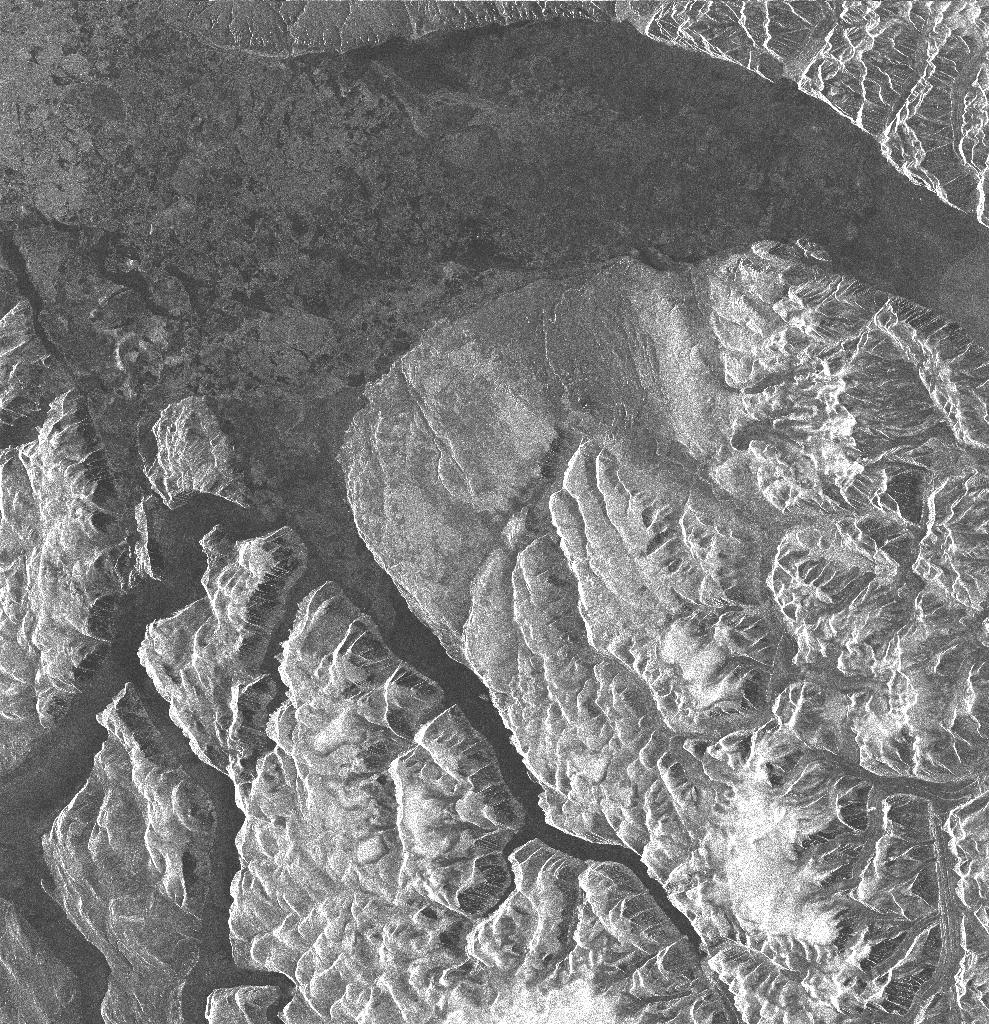
Further Reading
Umbra Space
Umbra satellites provide high resolution Synthetic Aperture Radar (SAR) imagery from space. Check out the Umbra datasets that are available in Tilebox.
Accessing Umbra data
No account is needed to access Umbra data. All data is under a Creative Commons License (CC BY 4.0), allowing you to use it freely.
The following code snippet demonstrates how to query and download Umbra data using the Tilebox Python SDK.
from pathlib import Path

from tilebox.datasets import Client
from tilebox.storage import UmbraStorageClient

# Creating clients
client = Client()
datasets = client.datasets()
storage_client = UmbraStorageClient(cache_directory=Path("./data"))

# Choosing the dataset and collection
umbra_dataset = datasets.open_data.umbra.sar
collections = umbra_dataset.collections()
collection = collections["SAR"]

# Loading metadata
umbra_data = collection.query(temporal_extent=("2024-01-05", "2024-01-06"), show_progress=True)

# Selecting a data point to download
selected = umbra_data.isel(time=0)  # index 0 selected

# Downloading the data
downloaded_data = storage_client.download(selected)

print(f"Downloaded granule: {downloaded_data.name} to {downloaded_data}")
print("Contents: ")
for content in downloaded_data.iterdir():
print(f" - {content.relative_to(downloaded_data)}")Downloaded granule: 2024-01-05-01-53-37_UMBRA-07 to data/Umbra/ad hoc/Yi_Sun_sin_Bridge_SK/6cf02931-ca2e-4744-b389-4844ddc701cd/2024-01-05-01-53-37_UMBRA-07
Contents:
- 2024-01-05-01-53-37_UMBRA-07_SIDD.nitf
- 2024-01-05-01-53-37_UMBRA-07_SICD.nitf
- 2024-01-05-01-53-37_UMBRA-07_CSI-SIDD.nitf
- 2024-01-05-01-53-37_UMBRA-07_METADATA.json
- 2024-01-05-01-53-37_UMBRA-07_GEC.tif
- 2024-01-05-01-53-37_UMBRA-07_CSI.tifPartial product downloads
For cases where only a subset of the available file objects for a given Umbra data point is necessary, you can limit your download to just that subset. First, list available objects using list_objects, filter the list, and then use download_objects.
The below example shows how to download only the metadata file for a given data point.
collection = datasets.open_data.umbra.sar.collections()["SAR"]
umbra_data = collection.query(temporal_extent=("2024-01-05", "2024-01-06"), show_progress=True)
# Selecting a data point to download
selected = umbra_data.isel(time=0)  # index 0 selected

objects = storage_client.list_objects(selected)
print(f"Data point {selected.granule_name.item()} consists of {len(objects)} individual objects.")

# only select specific objects to download
objects = [obj for obj in objects if "METADATA" in obj]  # remove all other objects
print(f"Downloading {len(objects)} object.")
print(objects)

# Finally, download the selected data
downloaded_data = storage_client.download_objects(selected, objects)Data point 2024-01-05-01-53-37_UMBRA-07 consists of 6 individual objects.
Downloading 1 object.
['2024-01-05-01-53-37_UMBRA-07_METADATA.json']