

Storage Event Triggers
Trigger workflow jobs automatically whenever new objects are created or modified in a storage bucket, enabling event-driven data processing pipelines.
Creating a Storage Event Task
Storage Event Tasks are automations triggered when objects are created or modified in a storage location.
In Python, use tilebox.workflows.automations.StorageEventTask as your task base class instead of the regular tilebox.workflows.Task. In Go, register an executable task with the same task identifier as the automation prototype.
from tilebox.workflows import ExecutionContext
from tilebox.workflows.automations import StorageEventTask, StorageEventType

class LogObjectCreation(StorageEventTask):
    head_bytes: int

    def execute(self, context: ExecutionContext) -> None:
        # self.trigger is an attribute of the StorageEventTask class,
        # which contains information about the storage event that triggered this task
        if self.trigger.type == StorageEventType.CREATED:
            path = self.trigger.location
            context.logger.info("A new object was created", path=path)

            # trigger.storage is a storage client for interacting with the storage
            # location that triggered the event
            # using it, we can read the object to get its content as a bytes object
            data = self.trigger.storage.read(path)
            context.logger.info("Read object data", path=path, size_bytes=len(data))
context.logger.info("Object preview", path=path, preview=data[:self.head_bytes].hex())type LogObjectCreation struct {
HeadBytes int
}
func (t *LogObjectCreation) Execute(ctx context.Context) error {
slog.InfoContext(ctx, "storage event task triggered", slog.Int("head_bytes", t.HeadBytes))
return nil
}Storage Locations
Storage Event tasks are triggered when objects are created or modified in a storage location. Tilebox supports these types:
| Storage location | CLI type | Event delivery |
|---|---|---|
| AWS S3 | aws-s3 |
Amazon SNS |
| Google Cloud Storage | gcs |
Google Cloud Pub/Sub |
| Azure Blob Storage | azure-blob |
Azure Event Grid |
| Local | local |
Tilebox CLI filesystem watcher |
Registering a Storage Location
For cloud storage, connect a storage location and delivery subscription in the Console, then configure your provider to forward object-created notifications. The guide covers S3/SNS, GCS/Pub/Sub, and Azure Blob/Event Grid, including resources and permissions needed before saving in Tilebox.
Tilebox registration does not provision cloud resources or grant object-read access. Provider retries and overlapping subscriptions can create duplicate jobs; tasks should be safe to retry.
Local Storage Locations
Local storage locations let you test storage-event automations or process files on your own machine. Register a directory with the CLI, then watch it for new or modified files:
mkdir -p local-input
tilebox storage-location create local --path ./local-input --name "Local input"
tilebox storage-location watch <storage-location-id>
Use the location ID returned by create. The CLI stores an absolute path and sends events while watch is running. It does not upload or share the files. Run the task runner on the same machine with access to that directory.
Listing Available Storage Locations
List registered storage locations with the CLI or an SDK:
tilebox storage-location listfrom tilebox.workflows import Client
client = Client()
automations_client = client.automations()
storage_locations = automations_client.storage_locations()
print(storage_locations)ctx := context.Background()
client := workflows.NewClient()
storageLocations, err := client.Automations.ListStorageLocations(ctx)
if err != nil {
slog.ErrorContext(ctx, "failed to list storage locations", slog.Any("error", err))
return
}
for _, location := range storageLocations {
slog.InfoContext(ctx,
"storage location",
slog.String("id", location.ID.String()),
slog.String("location", location.Location),
slog.String("type", location.Type.String()),
)
}[
StorageLocation(
location="gcs-bucket-fab3fa2",
type=StorageType.GCS,
),
StorageLocation(
location="s3-bucket-263af15",
type=StorageType.S3,
),
StorageLocation(
location='/path/to/a/local/folder',
type=StorageType.FS,
),
]Python examples use StorageType.S3 for AWS S3 and StorageType.FS for local storage.
Reading Files from a Storage Location
Inside a StorageEventTask, self.trigger.storage provides access to the storage location that sent the event. Pass self.trigger.location to its read() method to retrieve the object’s bytes. For example, this task reads an object from a connected GCS bucket and logs its size:
from tilebox.workflows import ExecutionContext
from tilebox.workflows.automations import StorageEventTask


class ReadObject(StorageEventTask):
    def execute(self, context: ExecutionContext) -> None:
        path = self.trigger.location
        data = self.trigger.storage.read(path)
        context.logger.info("Read object", path=path, size_bytes=len(data))
The runner needs permission to read the bucket’s objects. Configure Google Cloud authentication in the runner’s environment. For an example using local files, follow Test storage automations locally.
Registering a Storage Event Trigger
Register a storage-event automation in the Tilebox Console or with the Python SDK. Each matching event submits a job containing an instance of the registered task prototype.
This example registers the LogObjectCreation task defined above. Replace <storage-location-id> with the ID of your GCS location from the CLI or SDK listing:
from uuid import UUID

from tilebox.workflows import Client

client = Client()
automations = client.automations()
location_id = UUID("<storage-location-id>")
gcs_bucket = next(
    location for location in automations.storage_locations()
    if location.id == location_id
)

storage_event_automation = automations.create_storage_event_automation(
    "log-object-creations",  # name of the storage event automation
    LogObjectCreation(head_bytes=20),  # the task (and its input parameters) to run repeatedly
    triggers=[
        # you can specify a glob pattern:
        # run every time a .txt file is created anywhere in the gcs bucket
        (gcs_bucket, "**.txt"),
    ],
)
Glob Patterns
Storage automations use gobwas/glob with / as the path separator. Matching is case-sensitive and applies to the entire object path within the storage location, such as incoming/image.tif, rather than an absolute filesystem path or bucket URL.
* matches zero or more characters within one path segment; ? matches one character. Neither crosses /. ** matches across separators, but does not make adjacent slashes optional: **/*.txt requires a slash, so it does not match hello.txt. Use **.txt to include files at the root and in subdirectories.
Here are some examples of valid glob patterns:
| Pattern | Matches |
|---|---|
** |
Every object path, including files at the root and in subdirectories |
*.ext |
Any file ending in .ext in the root directory |
**/*.ext |
Any file ending in .ext in any subdirectory, but not in the root directory |
**.ext |
Any file ending in .ext in any subdirectory, including the root directory |
folder/* |
Any file directly in a folder subdirectory |
folder/** |
Any file directly or recursively part of a folder subdirectory |
[a-z].txt |
Matches a.txt, b.txt, etc. |
**.{tif,tiff} |
Any file ending in .tif or .tiff at any depth |
The local watcher’s .gitignore rules are a separate filter: they control which file events reach Tilebox. Automation globs determine which of those events trigger jobs.
Test a Glob Online
Paste the following example into the Go Playground and click Run. It uses the same glob library version and separator as Tilebox. Change the pattern and sample paths to test your own rules; no local Go installation is needed.
-- go.mod --
module example.com/glob-test

go 1.22.0

require github.com/gobwas/glob v1.0.0

-- main.go --
package main

import (
    "fmt"

    "github.com/gobwas/glob"
)

func main() {
    pattern := glob.MustCompile("**/*.txt", '/')
    for _, path := range []string{"hello.txt", "nested/hello.txt", "nested/image.tif"} {
        fmt.Printf("%q: %t\n", path, pattern.Match(path))
    }
}
This prints false, true, and false respectively. Changing the pattern to **.txt also matches hello.txt. Testers using other engines, such as minimatch, can give different results for **/.
Start a Storage Event runner
With the Storage Event automation registered, a job is submitted whenever a storage event occurs. But unless a runner is available to execute the Storage Event task the submitted jobs remain in a task queue. Once an eligible runner becomes available, all jobs in the queue are executed.
from tilebox.workflows import Client, Runner

client = Client()
runner = Runner(tasks=[LogObjectCreation])
runner.connect_to(client).run_forever()ctx := context.Background()
client := workflows.NewClient()
runner, err := client.NewTaskRunner(ctx)
if err != nil {
slog.ErrorContext(ctx, "failed to create task runner", slog.Any("error", err))
return
}
if err := runner.RegisterTasks(&LogObjectCreation{}); err != nil {
slog.ErrorContext(ctx, "failed to register tasks", slog.Any("error", err))
return
}
if err := runner.RunForever(ctx); err != nil {
slog.ErrorContext(ctx, "task runner stopped", slog.Any("error", err))
}Triggering an Event
Creating an object in the bucket where the task is registered results in a job being submitted:
echo "Hello World" > my-object.txt
gcloud storage cp my-object.txt gs://gcs-bucket-fab3fa2
Inspecting the runner output reveals that the job was submitted and the task executed:
2024-09-25 16:51:45,621 INFO A new object was created: my-object.txt
2024-09-25 16:51:45,857 INFO The object's file size is 12 bytes
2024-09-25 16:51:45,858 INFO The object's first 20 bytes are: b'Hello World\n'
Inspecting in the Console
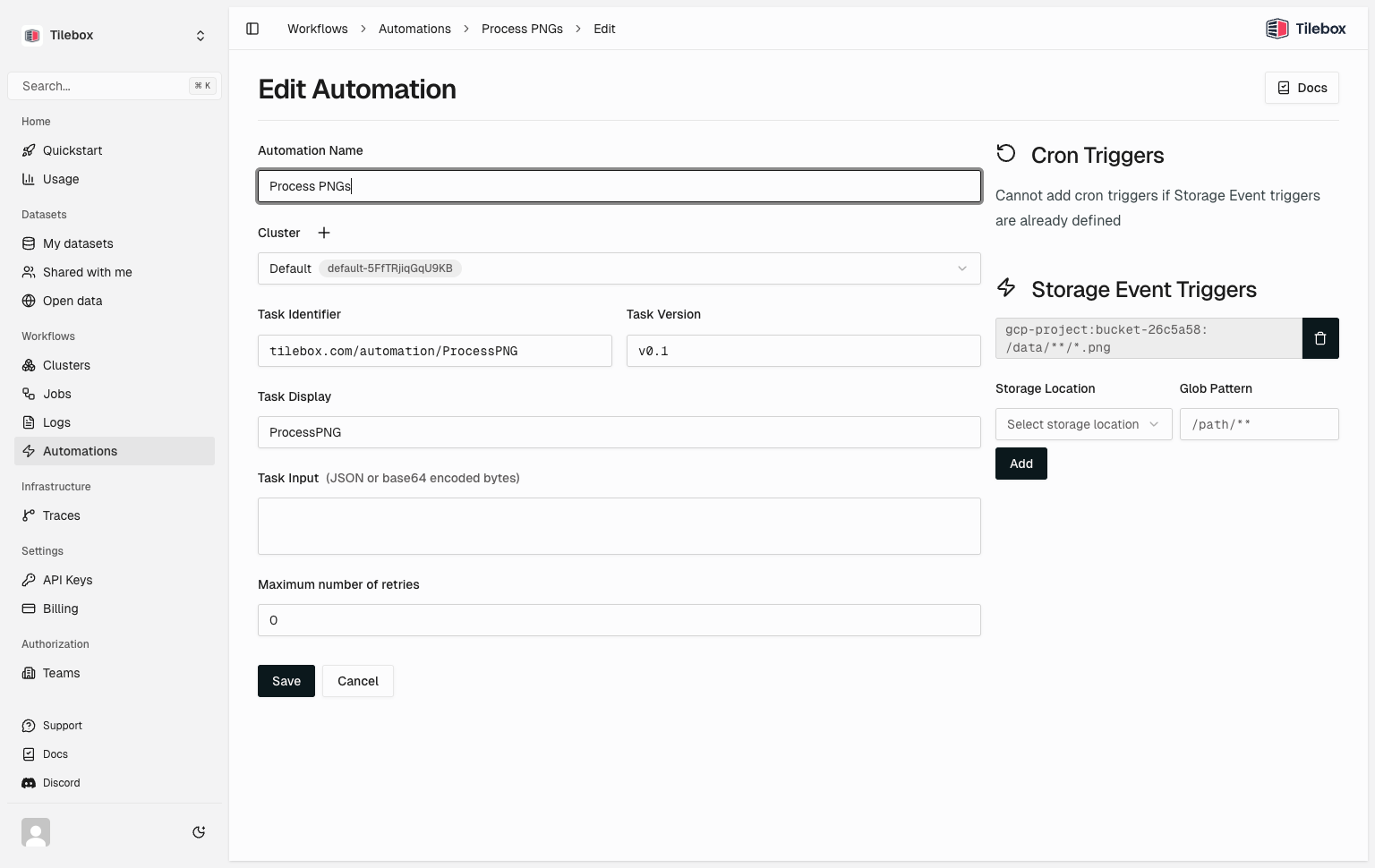
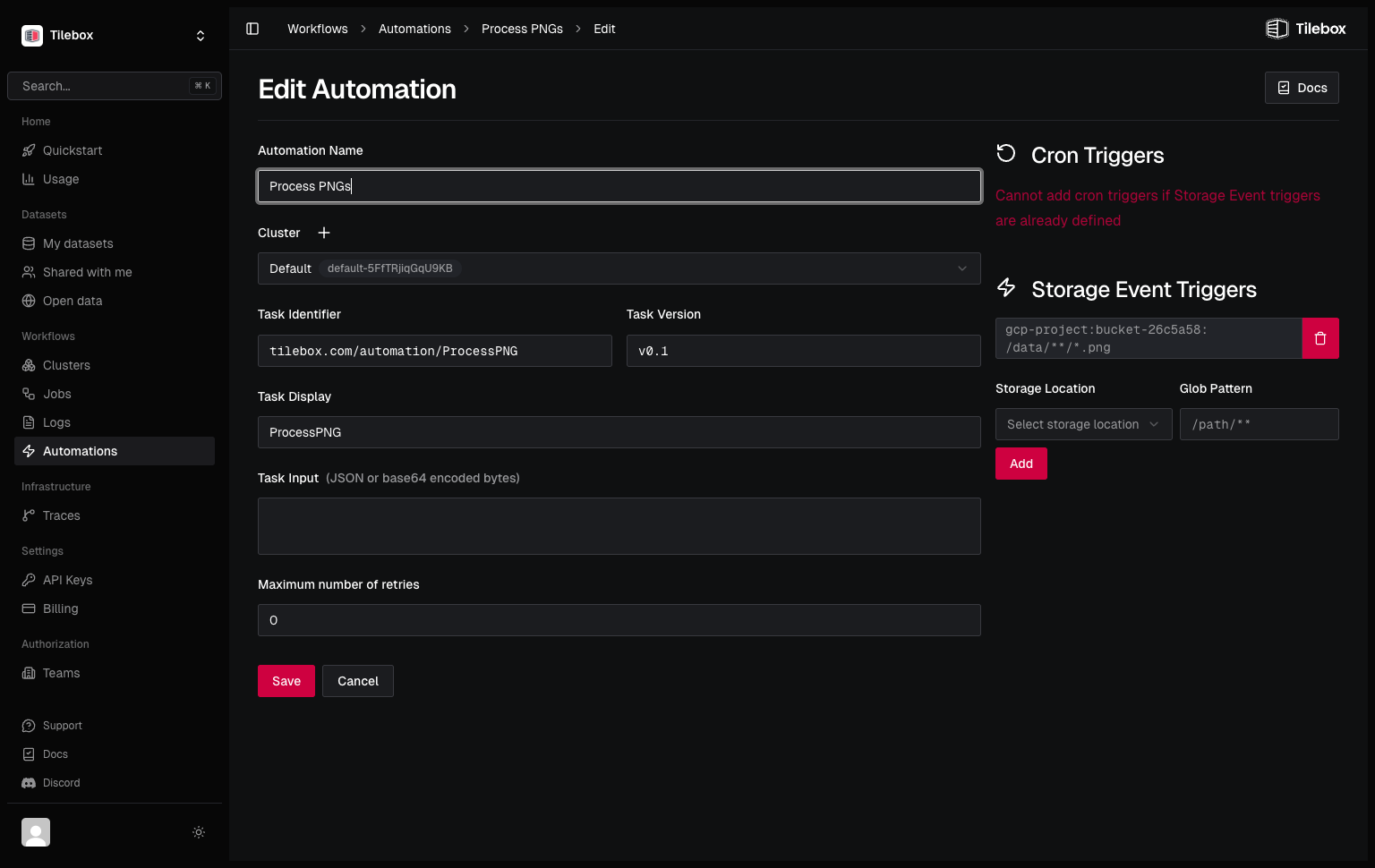
The Tilebox Console provides an easy way to inspect all registered storage event automations.
Deleting Storage Event automations
To delete a registered storage event automation from Python, use automations.delete. You can also delete storage-event automations from the Tilebox Console. After deletion, no new jobs will be submitted by the storage event trigger. Past jobs already triggered will still remain queued.
from tilebox.workflows import Client

client = Client()
automations = client.automations()

# delete the automation as returned by create_storage_event_automation
automations.delete(storage_event_automation)

# or manually by id:
automations.delete("0190bafc-b3b8-88c4-008b-a5db044380d0")
Submitting Storage Event jobs manually
In Python, you can submit Storage Event tasks as regular tasks for testing purposes or as part of a larger workflow. To do so, instantiate the task with a specific storage location and object name using the once method.
job_client = client.jobs()

task = LogObjectCreation(head_bytes=20)

# submitting it directly won't work; raises ValueError:
# job_client.submit("manual-storage-event-job", task)

# instead, we specify a trigger condition, and submit a job manually
job_client.submit(
    "manual-storage-event-job",
    # simulate an event that occurred in the gcs bucket for the object "my-object.txt"
    task.once(gcs_bucket, "my-object.txt"),
)