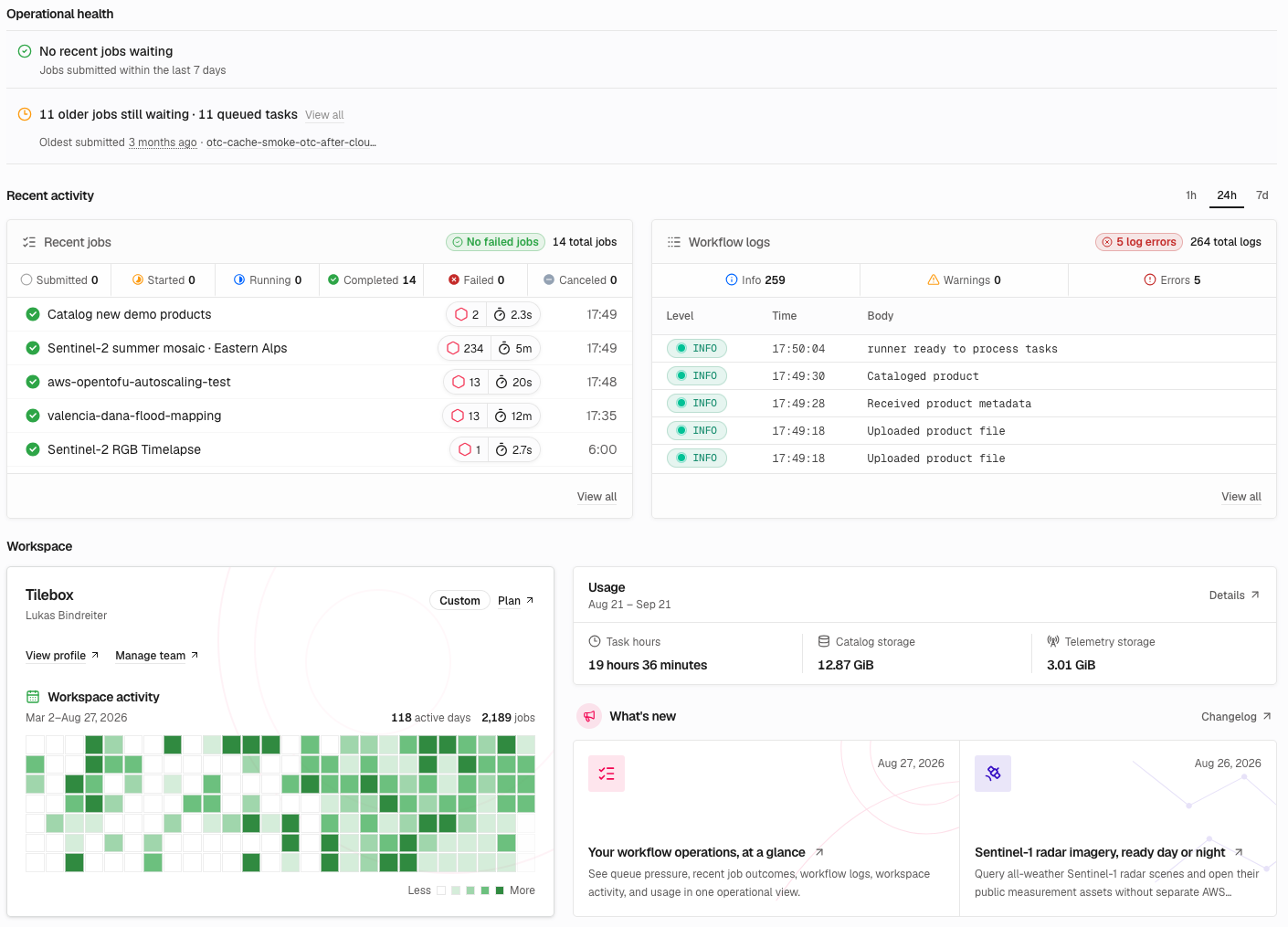
The new Tilebox Console Dashboard puts workflow health front and center. See queue pressure, recent job outcomes, workflow logs, workspace activity, and usage in one operational view, then drill directly into the jobs and logs that need attention.
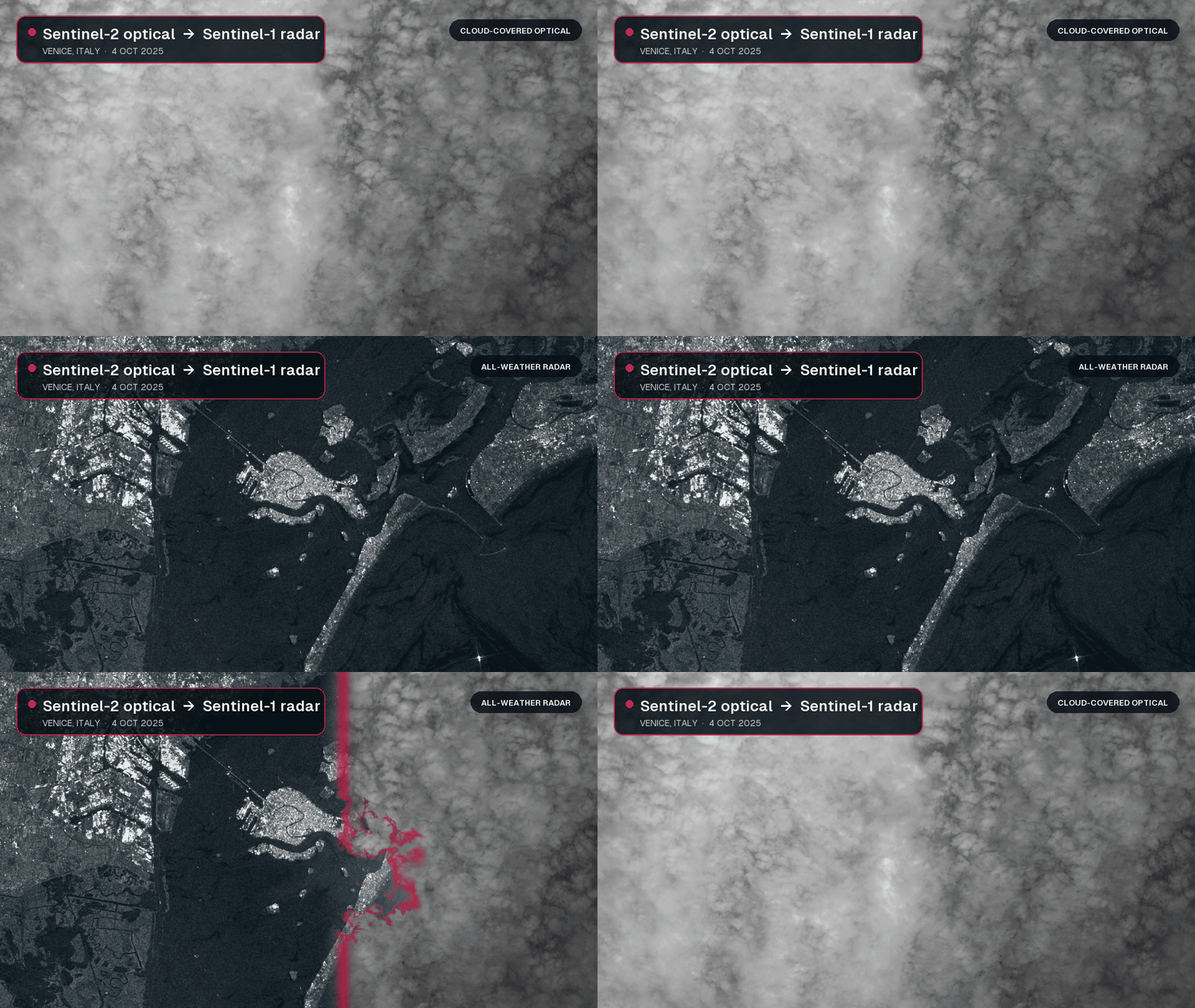
The new open_data.aws_earth.sentinel1 dataset provides credentials-free access to global Sentinel-1 Level-1 Ground Range Detected (GRD) scenes and their public AWS assets. Unlike optical sensors, Sentinel-1 uses synthetic aperture radar (SAR) to observe the surface through clouds and without sunlight, so you can keep analyzing conditions when optical imagery is unavailable.
Query scenes by time, location, or satellite platform, then open the available polarization measurements as Cloud Optimized GeoTIFFs (COGs). Each datapoint also includes acquisition and orbit details, SAR metadata, a preview image, and the product, calibration, noise, and SAFE manifest files needed for further processing.
These consistent, all-weather observations are well suited to flood and disaster mapping, sea-ice and maritime monitoring, forest disturbance detection, and tracking changes in crops, soil moisture, and infrastructure. You can move from a spatial query to a focused pixel read in one workflow, without configuring separate AWS credentials or downloading a complete scene first.

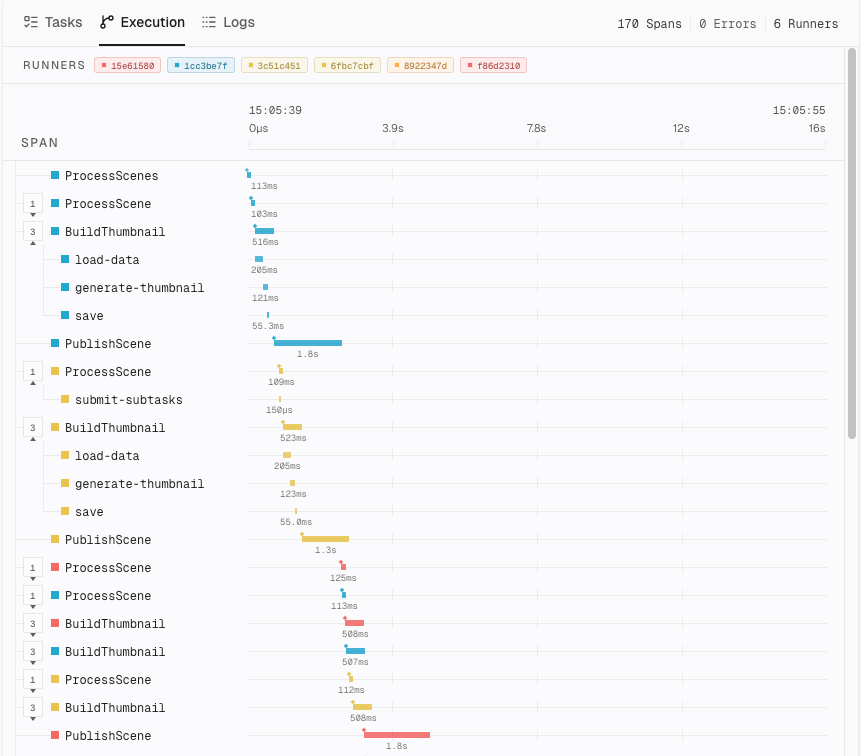
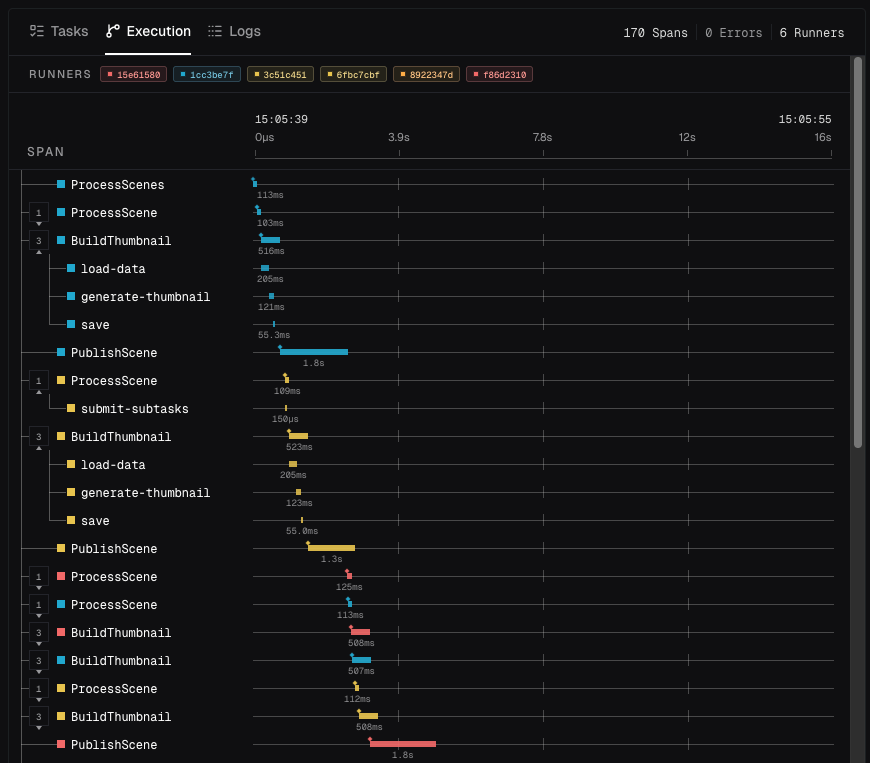
The redesigned job details page makes it easier to understand what a workflow is doing, where it spends time, and why it failed. Job progress, execution statistics, tasks, traces, and logs now form one connected view, so you can move from the state of the whole job to the work of an individual task without losing context.
Tasks appear in their workflow hierarchy instead of a flat list. Expand the branches you care about, follow state and timing through nested work, and navigate large jobs without loading the entire task graph at once.
Select any task to see its input, timing, retries, compute location, execution trace, and logs together. A failed or slow task is no longer an isolated telemetry record: you can see where it sits in the workflow, inspect what it received, and trace exactly what happened during its execution.



The new open_data.aws_earth.sentinel2 dataset provides credentials-free access to Sentinel-2 metadata and Cloud Optimized GeoTIFFs (COGs). You can start working with satellite imagery using only your Tilebox API key—no external data provider account, separate credentials, or storage configuration required.
Query Level-2A scenes by time, location, cloud cover, or satellite platform, then resolve a result directly into Tilebox assets. From the same datapoint, you can inspect the available spectral bands, download a complete image, or open a COG remotely and read only the pixels covering your area of interest.
This makes it practical to move from catalog search to image processing in one workflow: find a low-cloud scene, select a band, crop it to a geographic region, and pass the resulting data into your analysis without first downloading an entire scene.
Custom dataset schemas can now mark selected fields as queryable. Tilebox evaluates these field expressions on the
server together with temporal, spatial, and collection filters, so clients only receive matching datapoints.
Filters support comparisons, boolean logic, and null checks.
Queryable fields support strings, booleans, signed and unsigned integers, and floating-point values. Dataset authors
select queryable fields before ingesting datapoints.
Dataset datapoints can now describe file assets and their storage locations. The Python SDK resolves that metadata into asset collections, and the asynchronous storage client can stream, download, or open those assets across supported storage providers.
The GeoTIFF integration also supports remote COG access and window reads, so you can fetch only the pixels needed for an area of interest.
Provider-specific storage clients are now deprecated. Migration guidance for existing integrations will follow.
Tilebox now exposes more workflow operations across the Console, SDKs, CLI, MCP server, and runner deployments. You can manage workflow releases and clusters from the Console, filter jobs by compute location, schedule automations in local time, and start release runners from an official Tilebox container image.
What changed
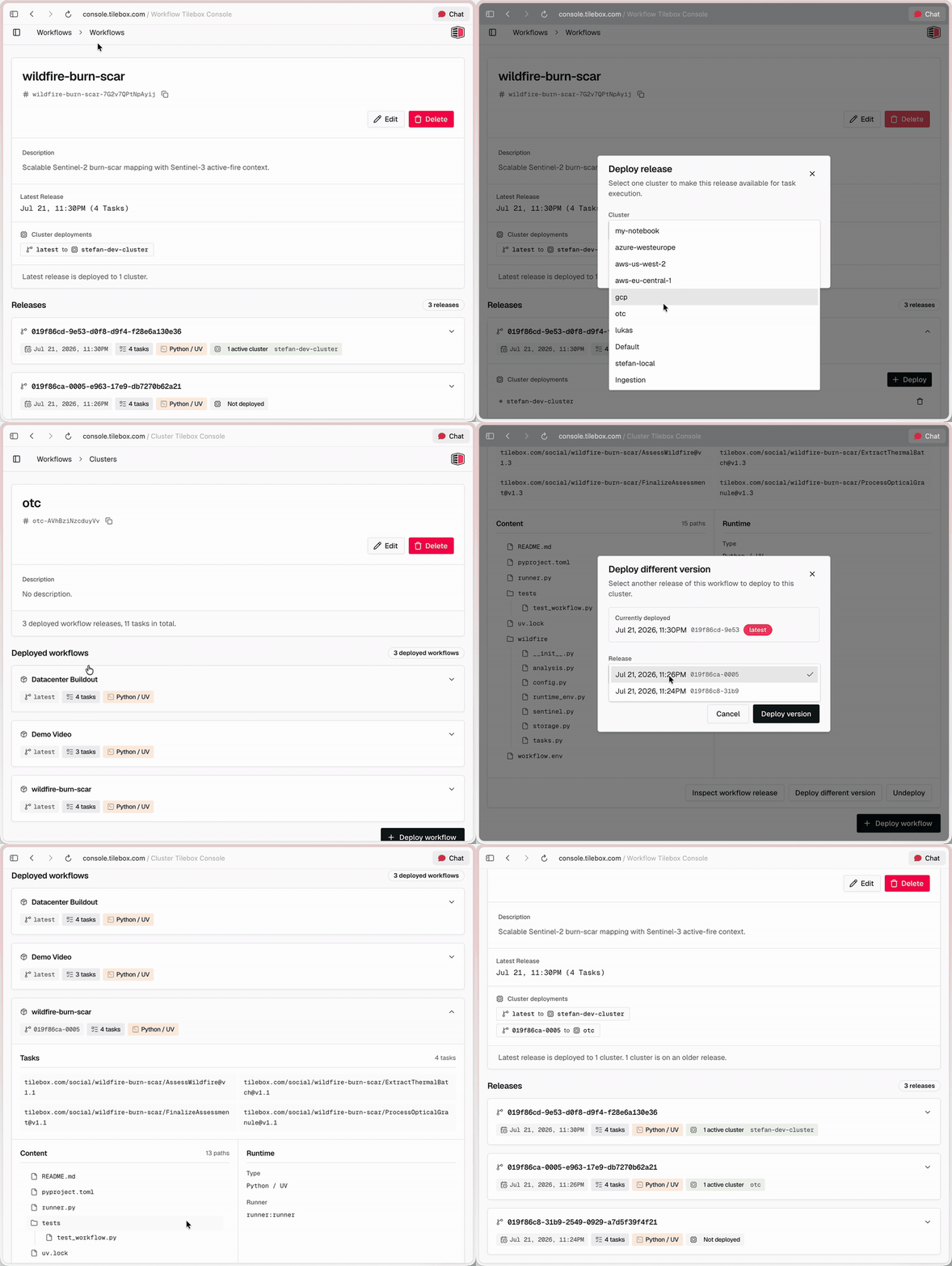
Workflow management in the Console. Create and edit workflows, inspect release history, tasks, runtime configuration, and artifacts, and deploy or undeploy releases across clusters. You can also delete workflows or unpublish individual releases without deleting existing jobs.
Redesigned cluster pages. The Console now provides a clearer cluster overview and dedicated detail pages for deployed workflow releases and tasks. From a cluster page, you can edit the cluster, deploy another workflow or release version, or undeploy a release. Protected default clusters are clearly marked.
Job filtering by cluster. Filter jobs by one or more cluster slugs in the Console, Python and Go SDKs, and CLI. This makes it easier to inspect work assigned to specific development, production, or specialized compute infrastructure.
Expanded MCP coverage. AI agents using the Tilebox MCP server can manage clusters, workflows, existing releases, and jobs; inspect logs and spans; view automations; and query decoded dataset datapoints, including spatial queries. MCP can deploy published releases; building and uploading new workflow code requires the CLI.
Timezone-aware Cron schedules. Cron automations now accept standard five-field expressions with lists, ranges, steps, named weekdays, and named months. Prefix a schedule with CRON_TZ=<timezone> to use an IANA timezone, or use helpers such as @hourly, @daily, @weekly, @monthly, and @yearly. Schedules without a timezone continue to use UTC.
Official runner image. The release-runner image is available at ghcr.io/tilebox/runner. It includes the Tilebox CLI, uv, Python 3.12 through 3.14, Git, Git LFS, and common geospatial build dependencies. The image runs tilebox runner start by default and can be configured for a cluster through environment variables.
For example, this schedule runs at 09:00 on weekdays in Vienna and follows daylight saving time automatically:
Tilebox Workflows now supports workflow release publishing and cluster deployments. This adds a new release-based execution path to the workflow orchestrator: package a Python workflow project, publish an immutable release, deploy it to a cluster, run it on release runners, and inspect the resulting job logs and execution traces.
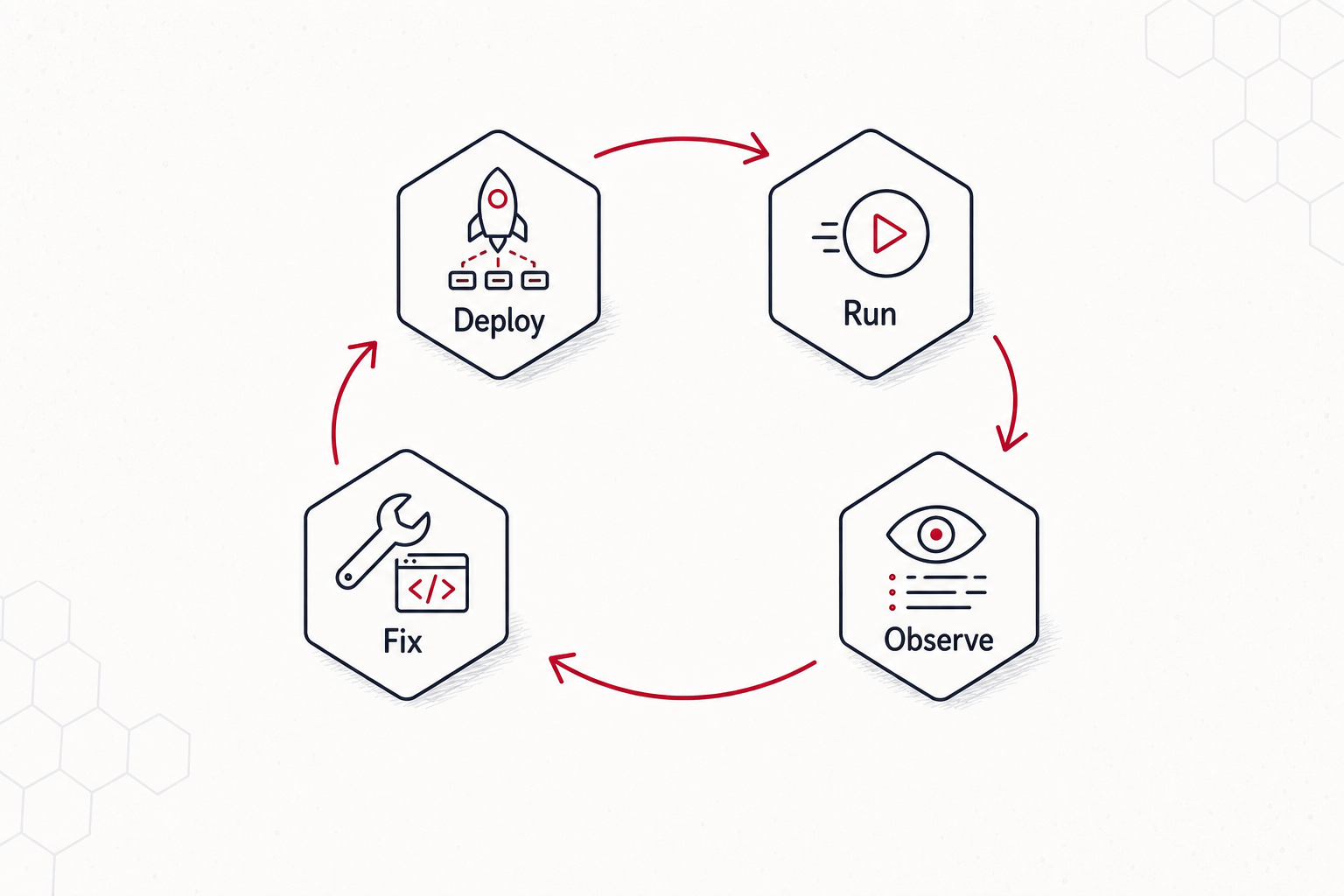
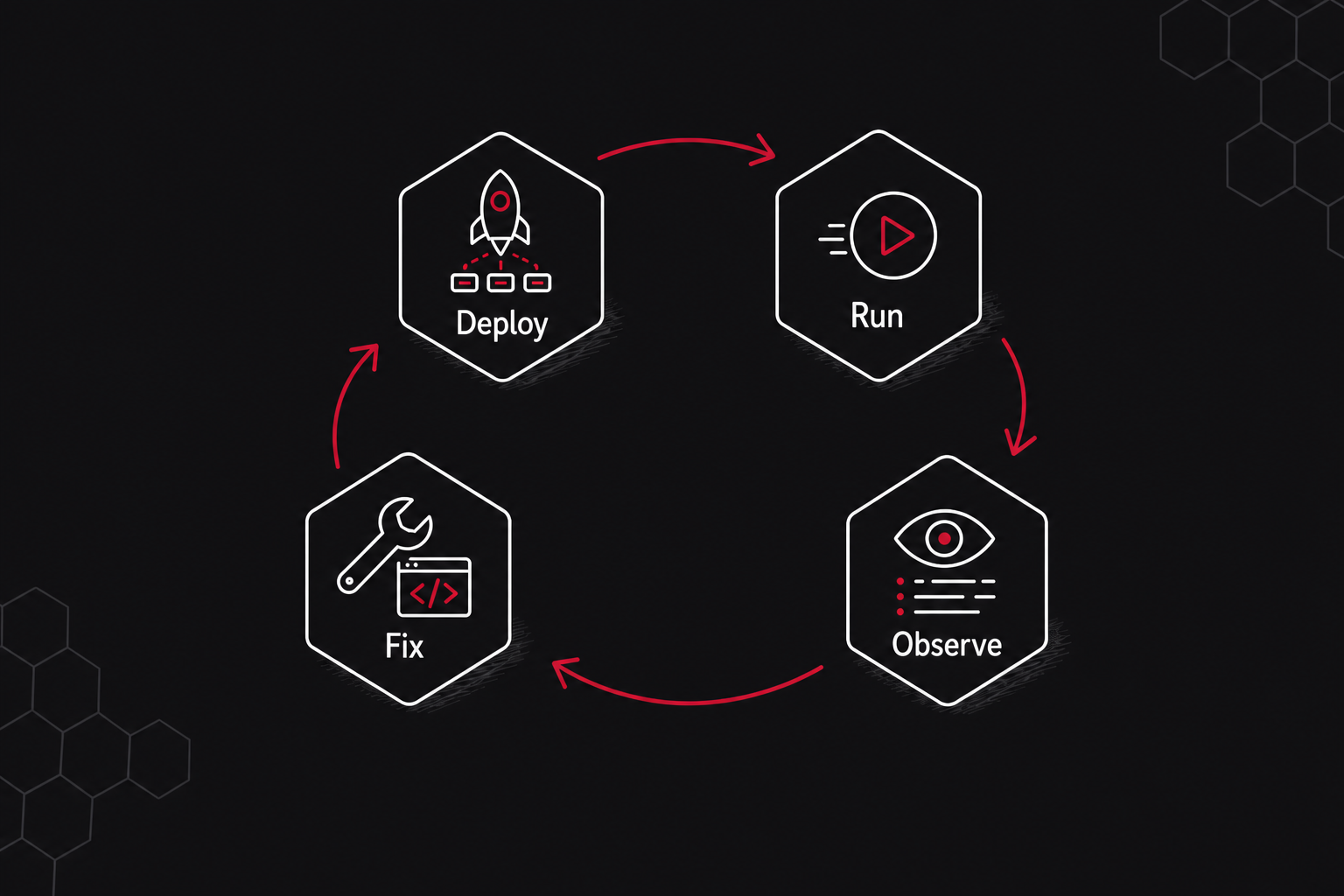
The release path is designed for closed-loop workflow iteration by developers and agents. An agent can edit workflow code, publish a release, deploy it to a development cluster, submit a test job, inspect the failed task logs or spans, apply a fix, and retry or submit the next job without leaving the same command-line workflow.
Release runners. Release runners run in an environment you control, watch a cluster, load the deployed releases for that cluster, and execute compatible tasks without rebuilding the runner process for every workflow code change.
Workflow release publishing. A workflow is now a long-lived object with a stable slug, and each release captures a concrete version of the workflow project, runtime entrypoint, selected files, and discovered task identifiers.
Project-local workflow configuration.tilebox.workflow.toml binds a repository directory to a workflow slug, build inputs, runtime entrypoint, and optional deployment targets, so commands can use the local project as context.
Cluster deployments. Publishing and deploying are separate steps. A release can be deployed to one or more clusters, and different clusters can run different releases of the same workflow.
Tilebox Workflows now includes built-in observability for jobs and runners. Tilebox captures workflow logs, traces, task status, and runner context, then correlates them with jobs and tasks.
Each task execution creates a trace span, and runners continue the job’s trace across machines. Use context.logger for structured log attributes and context.tracer.span() to measure individual operations within a task:
python
from tilebox.workflows import ExecutionContext, Taskclass InspectScene(Task): scene_id: str def execute(self, context: ExecutionContext) -> None: with context.tracer.span("inspect-scene") as span: span.set_attribute("scene_id", self.scene_id) context.logger.info("Inspecting scene", scene_id=self.scene_id) # Add the operation you want to measure here.
The custom span is nested under the task span. Logs emitted inside it carry the active trace and span IDs alongside job, task, and runner metadata. In the Console, move from a slow or failed task to its execution timing and logs without matching records manually.
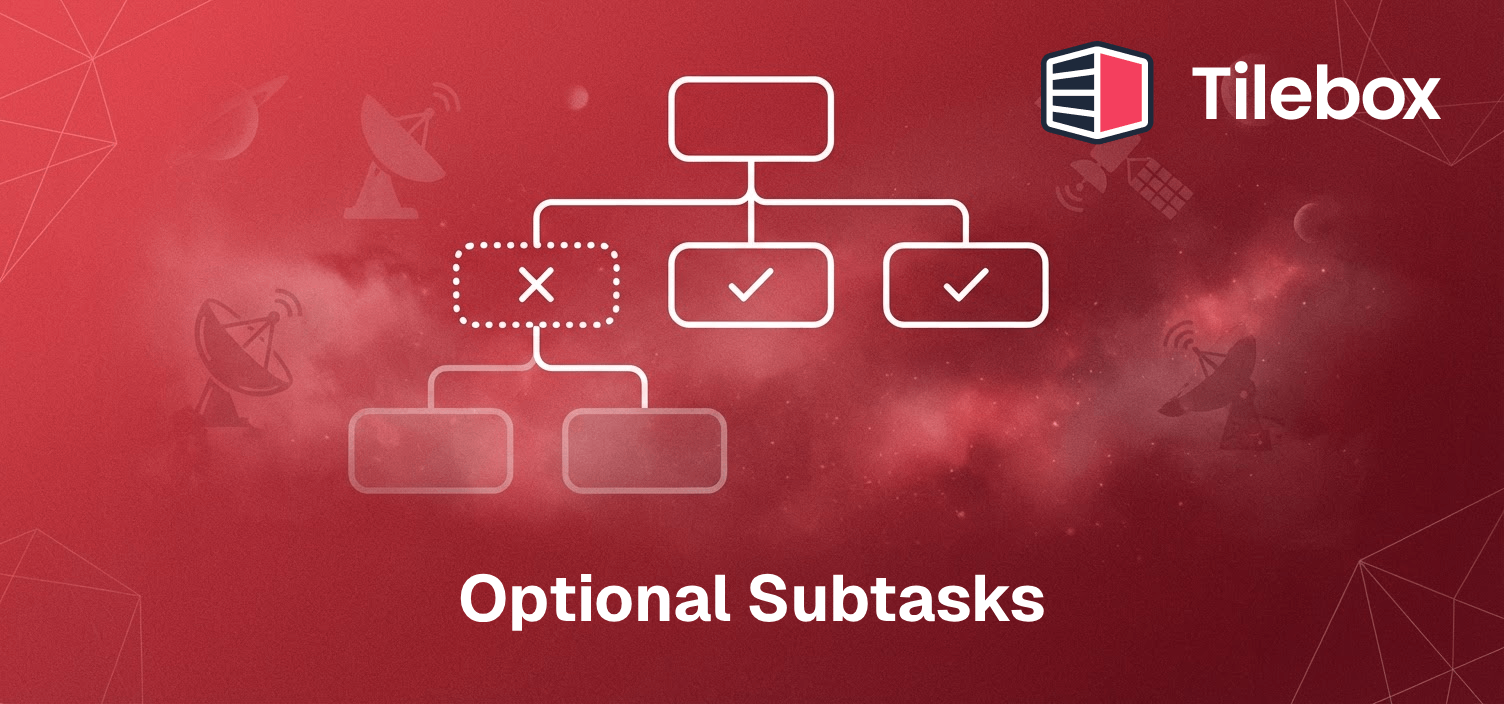
Subtasks can now be marked as optional when submitting them. Use optional=True for work such as preview generation or auxiliary data enrichment whose failure should not cancel the job. Required tasks keep their existing failure behavior.
Inside a task’s execute method, submit an optional step and make a final step depend on it. Here, CreatePreview and Finalize represent your own task classes:
Tilebox retries the preview up to three times before marking it FAILED_OPTIONAL. Finalize still runs after that failure, so it must handle a missing preview rather than assume the optional step produced an output.
Optionality also applies to a task’s nested subtasks. A failure inside that optional subtree skips its remaining queued work (SKIPPED) without canceling the rest of the job. This contains failures within the optional branch while keeping them visible for investigation.
The Tilebox MCP server exposes dataset and workflow tools through the Model Context Protocol. Compatible AI clients can retrieve live Tilebox information, such as a dataset’s schema, instead of relying only on context pasted into a conversation. Documentation search lets agents look up how to use Tilebox before taking action.
Connect an HTTP-capable MCP client to https://mcp.tilebox.com/mcp. For clients that use an mcpServers configuration, add:
Authentication uses OAuth: the client opens a sign-in flow where you select a Tilebox team. No API key or custom authorization header is required. To work with multiple teams, configure separate server entries and authorize each one for its team.
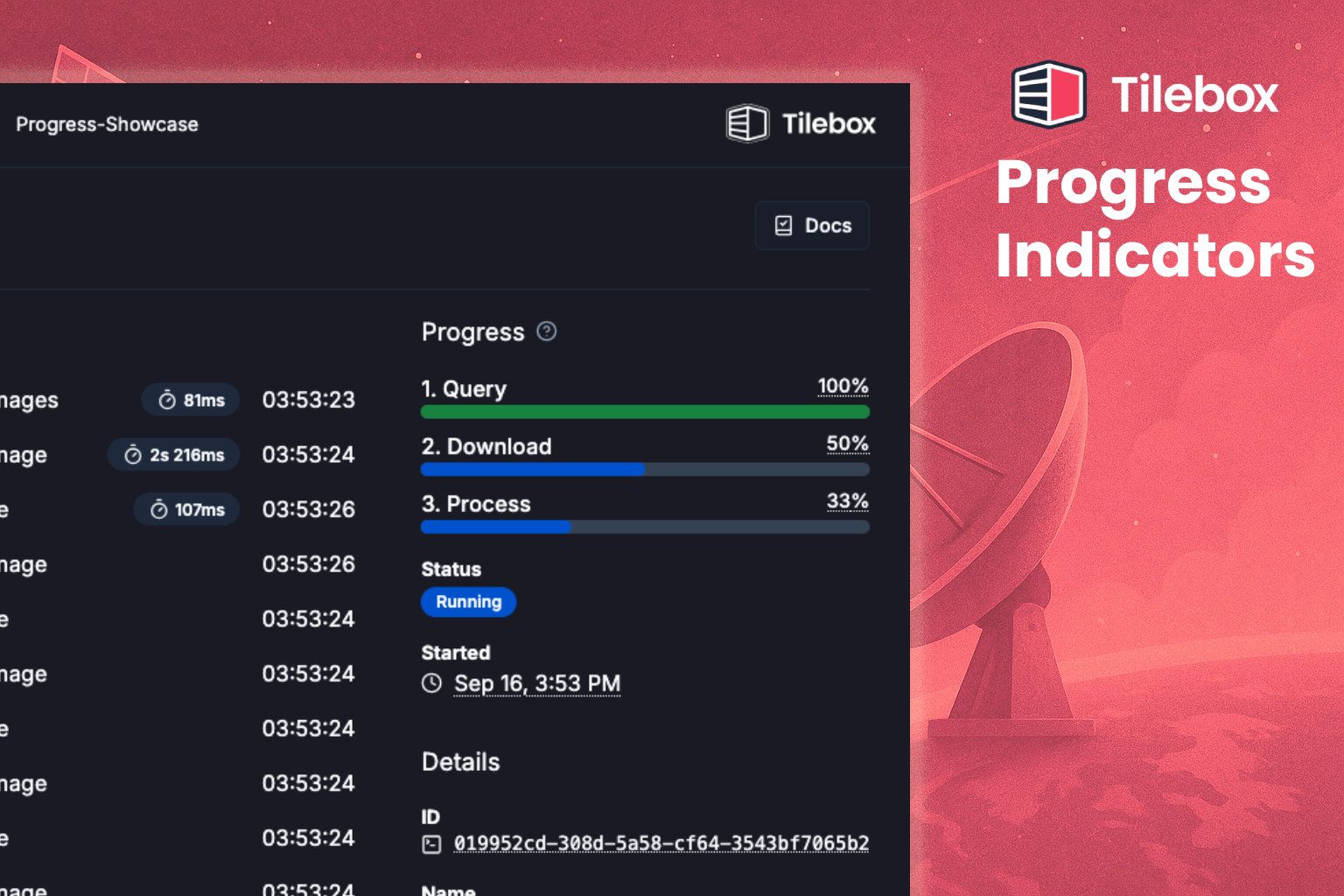
Jobs can now report user-defined progress indicators using a done / total model. Track units that describe your workload, such as scenes processed or files uploaded, rather than using the number of completed tasks as a proxy.
Call add() to increase the total work and done() to increase the completed work. Updates are reported by individual tasks and summed across the job, so a parent can register the total and its subtasks can report completion:
python
# In the parent task, before submitting one subtask per scene:context.progress("scenes").add(len(scene_ids))# In each subtask, after successfully processing its scene:context.progress("scenes").done(1)
These are increments, not absolute counter values. Use the same indicator name in the parent and subtasks to aggregate their updates. Separate names, such as "scenes" and "uploads", create independent indicators; context.progress() selects the default indicator.