

Workflow Management and Operations
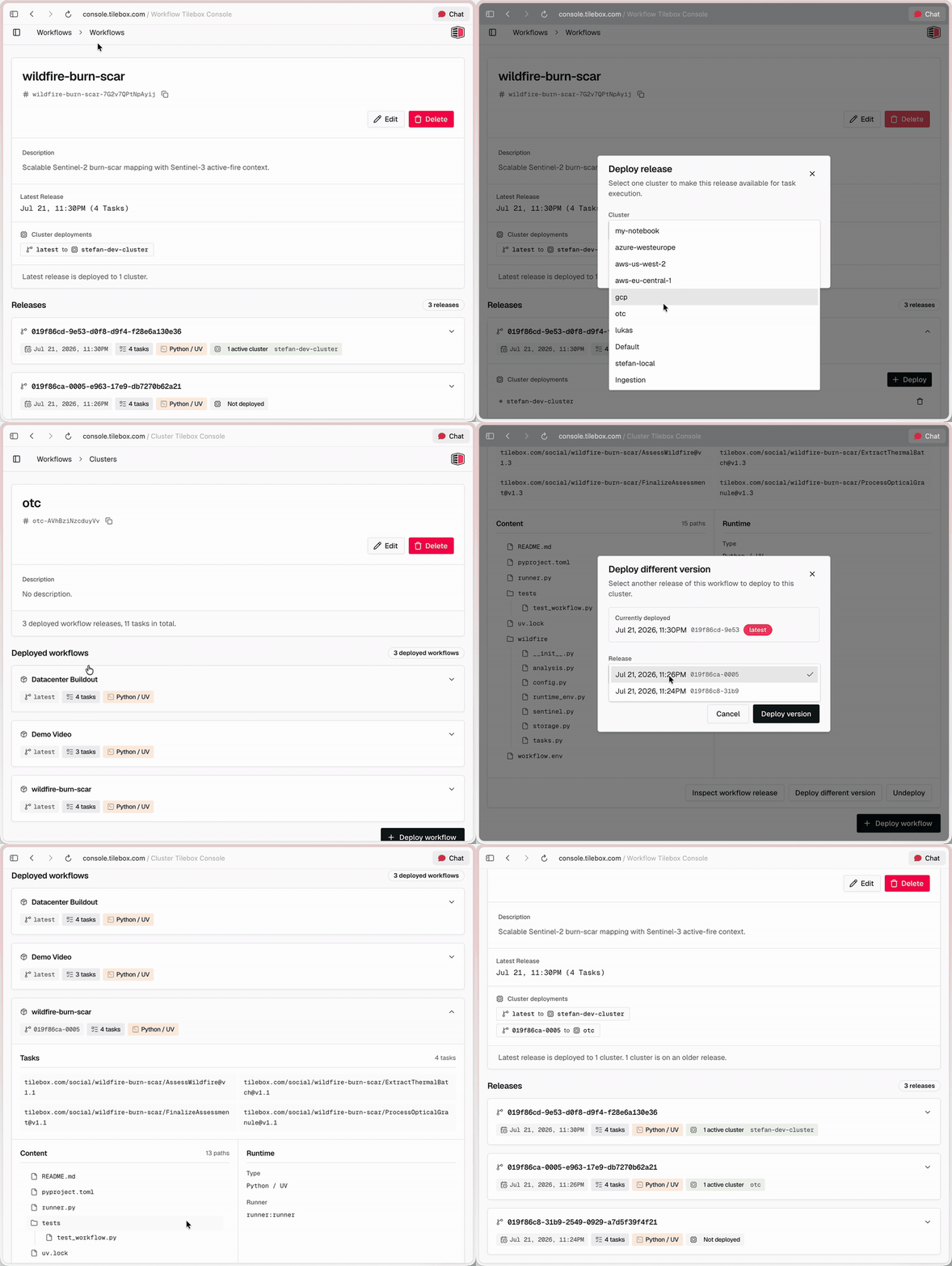
Tilebox now exposes more workflow operations across the Console, SDKs, CLI, MCP server, and runner deployments. You can manage workflow releases and clusters from the Console, filter jobs by compute location, schedule automations in local time, and start release runners from an official Tilebox container image.
What changed
- Workflow management in the Console. Create and edit workflows, inspect release history, tasks, runtime configuration, and artifacts, and deploy or undeploy releases across clusters. You can also delete workflows or unpublish individual releases without deleting existing jobs.
- Redesigned cluster pages. The Console now provides a clearer cluster overview and dedicated detail pages for deployed workflow releases and tasks. From a cluster page, you can edit the cluster, deploy another workflow or release version, or undeploy a release. Protected default clusters are clearly marked.
- Job filtering by cluster. Filter jobs by one or more cluster slugs in the Console, Python and Go SDKs, and CLI. This makes it easier to inspect work assigned to specific development, production, or specialized compute infrastructure.
- Expanded MCP coverage. AI agents using the Tilebox MCP server can manage clusters, workflows, existing releases, and jobs; inspect logs and spans; view automations; and query decoded dataset datapoints, including spatial queries. MCP can deploy published releases; building and uploading new workflow code requires the CLI.
- Timezone-aware Cron schedules. Cron automations now accept standard five-field expressions with lists, ranges, steps, named weekdays, and named months. Prefix a schedule with
CRON_TZ=<timezone>to use an IANA timezone, or use helpers such as@hourly,@daily,@weekly,@monthly, and@yearly. Schedules without a timezone continue to use UTC. - Official runner image. The release-runner image is available at
ghcr.io/tilebox/runner. It includes the Tilebox CLI,uv, Python 3.12 through 3.14, Git, Git LFS, and common geospatial build dependencies. The image runstilebox runner startby default and can be configured for a cluster through environment variables.
For example, this schedule runs at 09:00 on weekdays in Vienna and follows daylight saving time automatically:
text
CRON_TZ=Europe/Vienna 0 9 * * 1-5Start here
Manage workflow deployments
Deploy workflow releases to clusters and control what release runners can execute.
Configure Cron triggers
Define recurring jobs with standard Cron expressions, timezone prefixes, and schedule helpers.
Deploy to your compute
Run workflow releases on compute environments you control.