
Enum fields are here, and they’re ready for your own datasets. You can now define product types, quality flags, and application tags in Tilebox, then query them directly on the server. We’re excited to put that flexibility in your hands: you choose the categories that matter to your work.
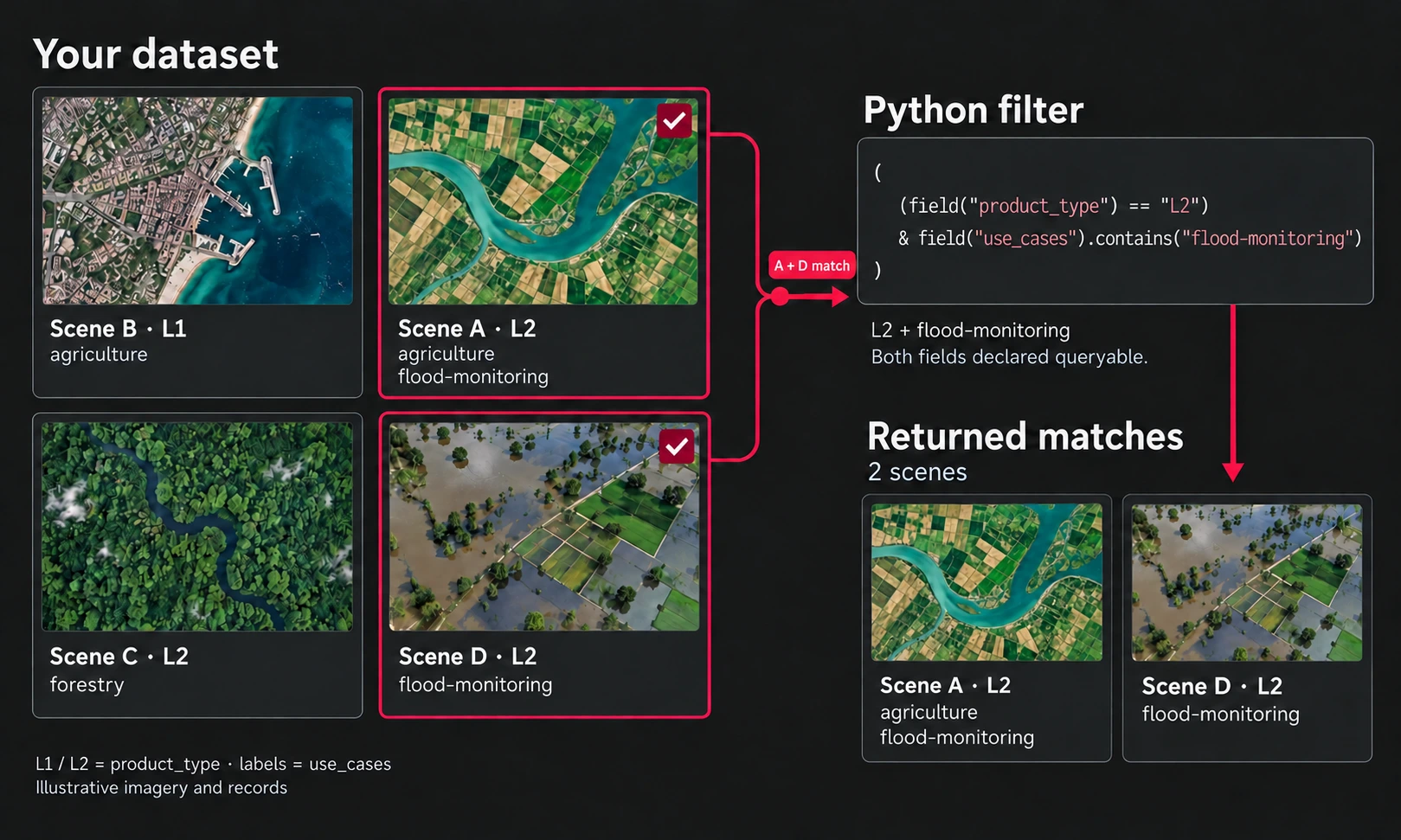
Scenes A and D are L2 products tagged for flood monitoring. View the illustration at full size.
Use a scalar enum for one value, such as product_type: "L2", or a repeated enum for several. A single product can carry tags for both agriculture and flood monitoring:
{
  "product_type": "L2",
  "use_cases": ["agriculture", "flood-monitoring"]
}
Define each field with type: "enum" and an enum_values vocabulary, such as ["L1", "L2"] for product types. Add repeated: true for tags and queryable: true for server-side filtering. Tilebox checks values against your declared vocabulary, keeping categories consistent as data arrives.
Now put those tags to work. With dataset pointing to your own dataset, this Python query finds October L2 products tagged for agriculture or flood monitoring:
from tilebox.datasets import field

matches = dataset.query(
    temporal_extent=("2026-10-01", "2026-11-01"),
    filter=(
        (field("product_type") == "L2")
        & field("use_cases").contains_any(
            ["agriculture", "flood-monitoring"]
        )
    ),
)
Tilebox applies both conditions before returning results. Your workflow receives the matching records, without downloading the rest of the catalog to filter locally.
Choose one tag, every requested tag, or any match with the fluent filters:
# One tag.
field("use_cases").contains("agriculture")

# Both tags, with any additional tags allowed.
field("use_cases").contains_all(["agriculture", "flood-monitoring"])

# Either tag, or both.
field("use_cases").contains_any(["agriculture", "flood-monitoring"])
Combine enum filters with time and location to select the inputs for your next workflow. Scalar and repeated enum filtering are available through Python, Go, and the CLI.
Define your vocabulary, ingest tagged records, and query by category or use case.