
Turn your analysis into a repeatable product.
Turn your existing code into workflows you can run on demand or on schedule. Tilebox coordinates the tasks; your runners do the work.
One job to inspect from start to finish.
Follow every part
of the run.
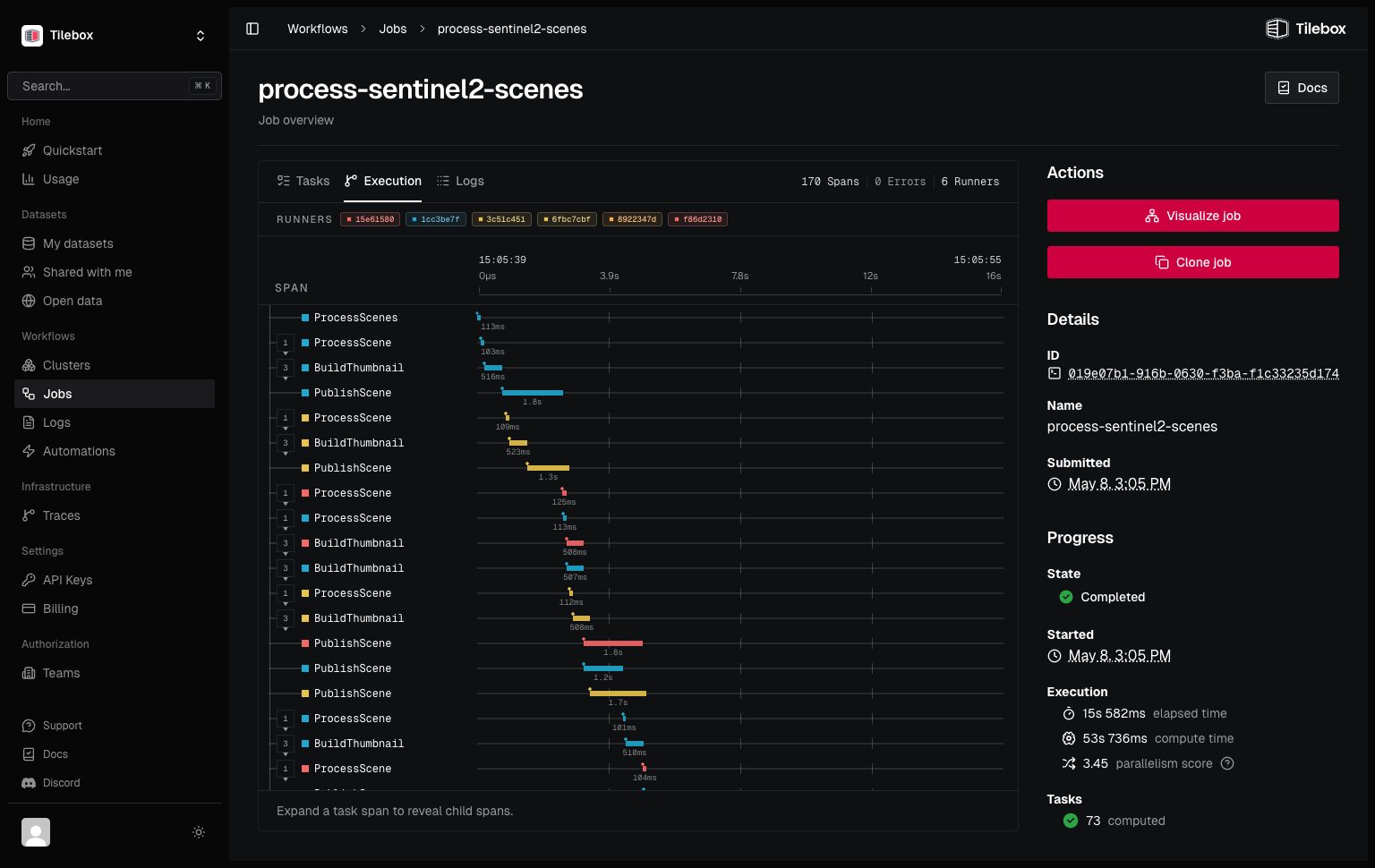
Follow a job from its first task through parallel processing and completion. Inspect task timing, runner activity, and logs when you need to understand what happened.
Give repeated work
a reliable routine.
Use the same workflow for the next area of interest or time range. Define tasks around your existing code, then submit each analysis as a job with its own inputs.
Tasks can submit subtasks as the work unfolds. Runners execute eligible tasks in parallel and report their results to Tilebox.
How tasks fit together-
Start when it matters.
Submit a job from your application, or register a cron trigger for recurring work. Set a schedule.
-
Inspect the execution.
Look at task state, logs, and traces to find which part needs attention, with the runner context alongside it.
-
Recover failed work.
Configure task retries for failures. After a compatible code fix, retry the failed job without rerunning completed tasks. See the recovery path.
Keep the question.
Refresh the answer.
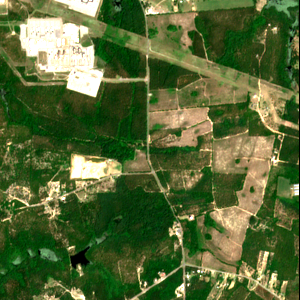
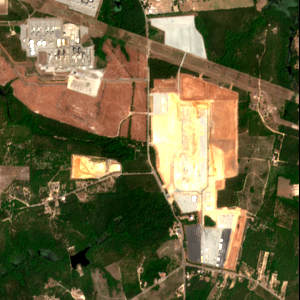
Site monitoring repeats the same analysis as new observations arrive. These images show the Amazon Hamlet data center site before and during construction, the kind of change a recurring workflow can help track.
Query the next scenes, run your processing, and send outputs to your product, storage, or alerting system.
Explore the monitored siteYour code.
Your execution environment.
Keep your Python or Go libraries and run them on infrastructure with the hardware and data access they need. Tilebox coordinates execution; you operate the runner processes.
Start locally, then place runners in your own cloud or on-premises environment. Use a data catalog to select inputs, or have an agent help build and inspect workflows.
Already using a scheduler or orchestrator? See how Tilebox fits your existing stack.
Understand runner deployment