
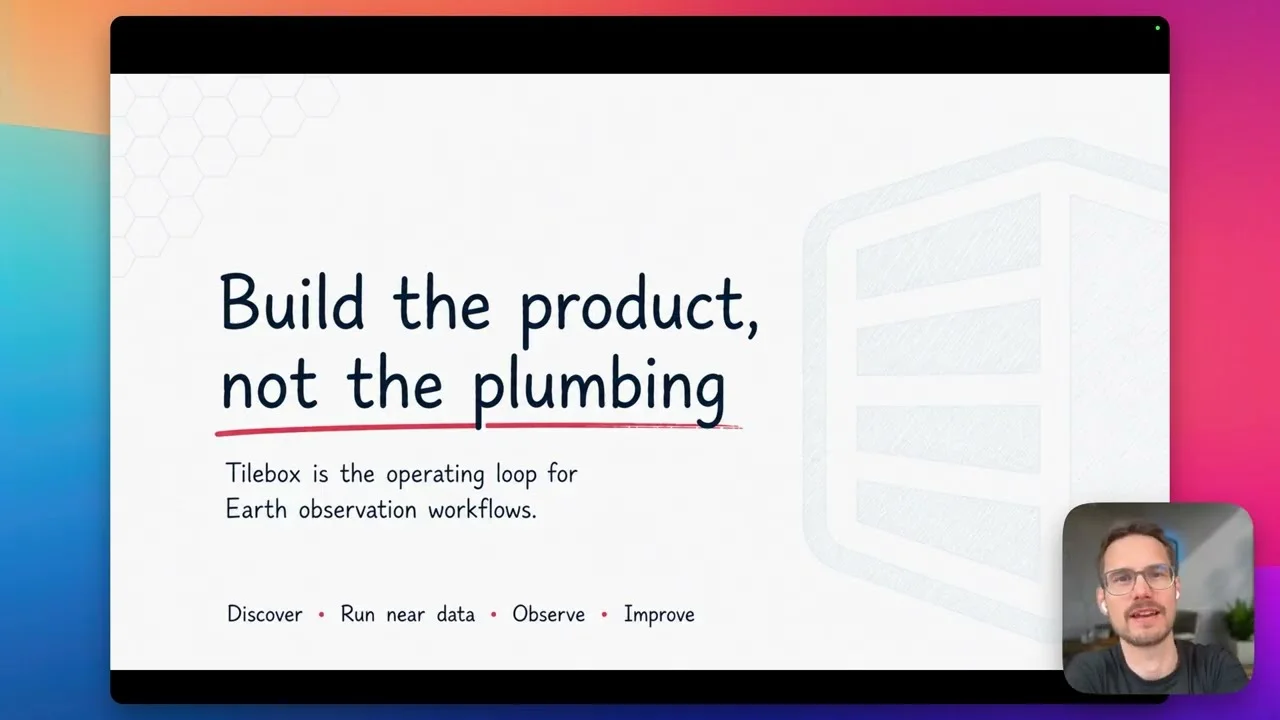
Tilebox gives geospatial teams one operating loop for discovering typed datasets, running workflows where the data lives, and inspecting the resulting logs and traces. This overview shows how humans and agents can use that loop without rebuilding the underlying workflow infrastructure.
Transcript
Build the product, not the plumbing
0:01 Build the product, not the plumbing. That’s probably the simplest way to explain why we built Tilebox. Earth observation teams typically don’t lack ambition. They want to build monitoring products, models, mission capabilities. They have to build customer-facing analyses. But before they get there, they often spend months rebuilding the same operating layer. Catalogs, queues, retries, credentials. They have to organize runners, set up logs. So in this overview, I want to show you the practical loop that Tilebox gives you to find the data, run the workflow where the data already lives, see what happened, fix what needs change, run it again. That loop is the product.
0:44 Here’s the trade-off we see a lot. A team has a real product to build, but first they need all this infrastructure we just mentioned. So the first year quietly turns into plumbing. And that painful part doesn’t go away either. If the workflow logic and the infra are all tangled together, every experiment gets slower and every product development gets slower.
1:06 Tilebox separates those concerns. Your workflow code can stay focused on tasks, inputs, outputs, and the operating layer handles orchestration, retries, observability, and all these plumbing tasks. And then the runners can live where the work needs to happen. It could be on the cloud, on-premise, or at the edge. You can change the workflow, run it again, see what happened, and improve it without dragging plumbing through every experiment.
1:34 The important thing here, as you might have noticed already, is the loop. In a real workflow or in a real data pipeline, you have to first find the right data, define the work or the workflow, run it somewhere useful, or run it co-located with the data, look at what happened, and then improve it. And the operator of this loop might be a person in the console, or it might be an agent using MCP or the CLI, and the environment might be in the cloud, on-premise, on an agency system, or at the edge. So the operator can change, the environment can change, but the workflow loop should not have to be rebuilt and changed every time. It should remain one loop to discover, define, run, observe, debug, and rerun.
Discover data from a typed catalog
2:24 So in order to achieve that, the first practical move is to centralize metadata, not necessarily the pixels, because the actual pixels are heavy. They may be in different clouds, different data spaces, partner systems, or controlled environments, and moving them can actually be expensive. It’s always, really always slow, or might not be allowed. So instead of copying raw products around, actually what you want to ask or have answered is the simpler question of what data actually exists for a certain time period, for a certain area of interest or place, and a certain workflow.
3:04 And Tilebox datasets or catalogs gives you that as a typed, searchable product. That helps engineers, and it helps agents even more. And agents should not have to invent field names or guess what a dataset contains. It should be able to inspect the real catalog first.
3:23 And this I’m going to demonstrate now. I don’t want the agent to sound confident about satellite data, I want it to check. So I would ask something like, what datasets do I have access to that I could use for oil spill monitoring? And the useful answer should name candidate datasets or collections. That’s the behavior we want. Not magic or guessing, just grounded engineering.
3:55 And what we see here is it already explores the managing Tilebox datasets skill. It lists the datasets, checks the metadata collections for Earth—for data sources and ranks them for usefulness. Maybe it looks at the co-located documentation for each of the relevant datasets. And then it tells us the best primary datasets, which would be Sentinel-1 data, which is a great baseline that has wide coverage.
4:28 We have open data from ICEYE, Umbra, Alaska Satellite Facility. But this is historical data, and it even—and it even tells us that. And then on top of that, it provides us with some good supporting datasets and explanations.
Run workflows where the data lives
4:44 And once you know what data exists, the next question is, where should the computation run? The old pattern is to bring everything to one platform first, to centralize, but that breaks down quickly when data is distributed across clouds or on-premise systems or partner networks or specialized hardware in constrained environments, maybe even in orbit.
5:07 Tilebox Workflows takes a different route. With Tilebox, you define tasks as code, and then runners pick up the work where it should happen. So the workflow logic stays the same, but the execution environment can change. So you can develop locally, run it in the cloud, run it near a certain storage system, or target a controlled environment. But the point is that your workflow does not have to be written around every infrastructure decision. You can co-locate algorithms with the data.
Inspect runs and optimize from evidence
5:40 After the workflow runs, the problem changes. Now the question is, what actually happened? Which tasks ran? Where did they get executed? How long did it take? Which runner picked up what? What did the log say? If the answer is spread across different types of products or cloud consoles, or across notebooks, or logs, or log systems, or certain scripts, then debugging can become trickier or turn into a scavenger hunt.
6:08 And Tilebox keeps that runtime context inside this workflow loop. So all logs and traces are are available both to humans and agents, such that both can work from evidence and—and not don’t have to guess.
6:25 And that’s the second little demo I want to give you. An agent can obviously, like we saw, help before the run when—when they’re finding data or writing code, but they also help after the run. So I could ask in a certain job that I just ran, what was the task class that takes the most time? What has most optimization potential for both wall clock time and compute time? So which task took the longest, and where can we optimize best?
7:01 The useful answer should not be intuition or made up, but it should point to real evidence like spans or the actual task class names and log messages. It should distinguish data loading from compute from output writing, and it should suggest a concrete next experiment. That’s what observability is for in part, to turn the workflow runs into feedback that you can use later on.
7:29 So we see here now that the agent used the managing Tilebox jobs skill, and it started running certain commands. It finds the actual job, it fetches the spans and loads the agent context for that to build an analysis script that it runs ad hoc. And I didn’t have to set up anything for that. It’s paginating through the spans because we have a large number of traces.
8:03 And so let’s take a look at the result. The biggest optimization target is select and cache scene. So this is data loading, and we’re aware of that, but we see the impact, which—which is that 76% of all the time spent here was just loading the data. And within that, because we have support for sub-spans, we see that—we see that downloading the assets versus cropping them or listing them is the biggest contributor. And because on top of observability, it has access to the code, the agent can directly recommend us some changes. For example, to only download the cloud filter band first, the scene classification layer, and only then the other bands.
Put the workflow into production
8:50 So the takeaway or our call to action, if you will, from this presentation is really that if your goal is to spend the next year building geospatial infrastructure, then you might not need us. But if your goal is to get the workflow into production next month or next week, then we should talk.
9:09 You can obviously spend time building that operating layer, or you can use Tilebox and spend those months building the product that customers actually pay for. That’s what we’re trying to make possible, such that physical world data becomes usable software without moving all the data first and without making every team rebuild the same substrate.