---
title: "Workflow Observability"
description: "Tilebox Workflows now correlates built-in logs, traces, task status, and runner context with jobs and tasks."
image: "https://tilebox.com/images/tilebox-docs-social-preview.png"
---
> Documentation Index
> Fetch the complete documentation index at: https://tilebox.com/docs/llms.txt
> Use this file to discover all available pages before exploring further.
# Workflow Observability
import { Frame } from "@docs/components/ui/frame";
import { CardGrid } from "@docs/components/ui/card-grid";
import { LinkCard } from "@docs/components/ui/link-card";
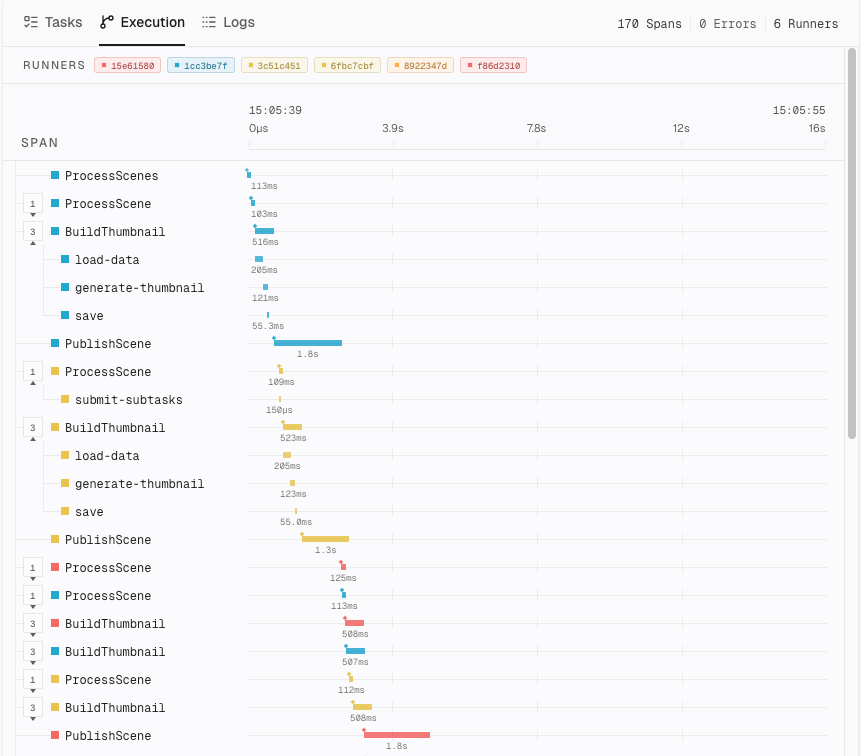
 Tilebox Workflows now includes built-in observability for jobs and runners. Tilebox captures workflow logs, traces, task status, and runner context, then correlates them with jobs and tasks.
Each task execution creates a trace span, and runners continue the job's trace across machines. Use `context.logger` for structured log attributes and `context.tracer.span()` to measure individual operations within a task:
```python
from tilebox.workflows import ExecutionContext, Task
class InspectScene(Task):
scene_id: str
def execute(self, context: ExecutionContext) -> None:
with context.tracer.span("inspect-scene") as span:
span.set_attribute("scene_id", self.scene_id)
context.logger.info("Inspecting scene", scene_id=self.scene_id)
# Add the operation you want to measure here.
```
The custom span is nested under the task span. Logs emitted inside it carry the active trace and span IDs alongside job, task, and runner metadata. In the Console, move from a slow or failed task to its execution timing and logs without matching records manually.
Attach searchable attributes and inspect automatically added workflow context.
Add custom spans and investigate task timing and failures.
Source: https://tilebox.com/docs/changelog/2026-05-13-workflow-observability/index.mdx
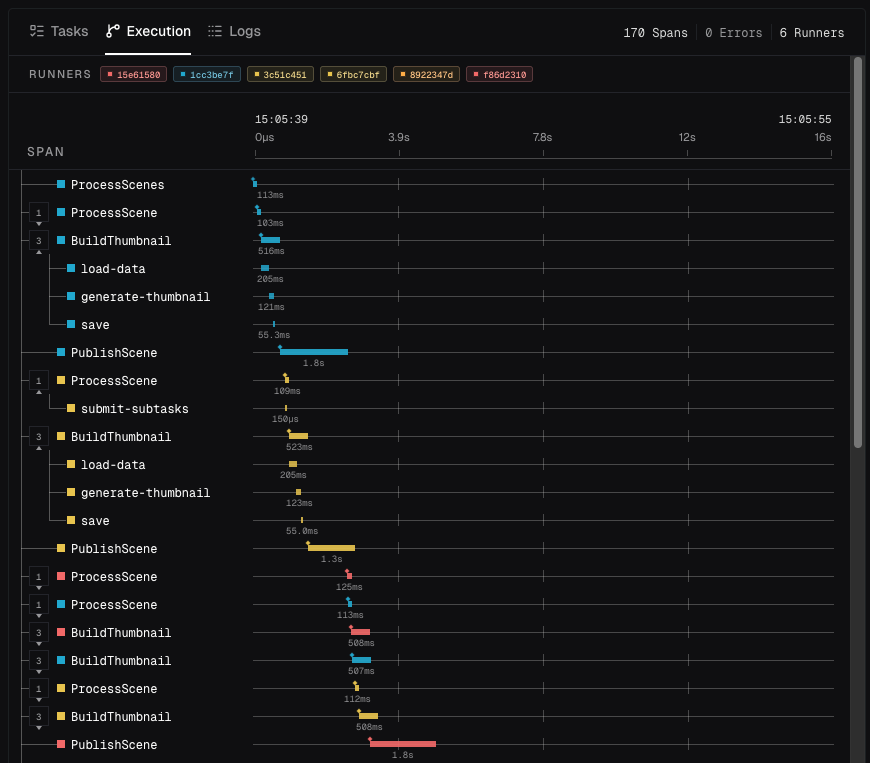
Tilebox Workflows now includes built-in observability for jobs and runners. Tilebox captures workflow logs, traces, task status, and runner context, then correlates them with jobs and tasks.
Each task execution creates a trace span, and runners continue the job's trace across machines. Use `context.logger` for structured log attributes and `context.tracer.span()` to measure individual operations within a task:
```python
from tilebox.workflows import ExecutionContext, Task
class InspectScene(Task):
scene_id: str
def execute(self, context: ExecutionContext) -> None:
with context.tracer.span("inspect-scene") as span:
span.set_attribute("scene_id", self.scene_id)
context.logger.info("Inspecting scene", scene_id=self.scene_id)
# Add the operation you want to measure here.
```
The custom span is nested under the task span. Logs emitted inside it carry the active trace and span IDs alongside job, task, and runner metadata. In the Console, move from a slow or failed task to its execution timing and logs without matching records manually.
Attach searchable attributes and inspect automatically added workflow context.
Add custom spans and investigate task timing and failures.
Source: https://tilebox.com/docs/changelog/2026-05-13-workflow-observability/index.mdx